

September 30, 2026
This release adds Spark in four languages, a new Energy section with live load balancing, dashboards you build yourself, a dashboard for fleet managers, richer price profiles, per plug settings on private chargers, and a long list of improvements across Intelligence, the AI assistants, search and exports.
What's new
1. Energy: a live load balancing view for your whole network
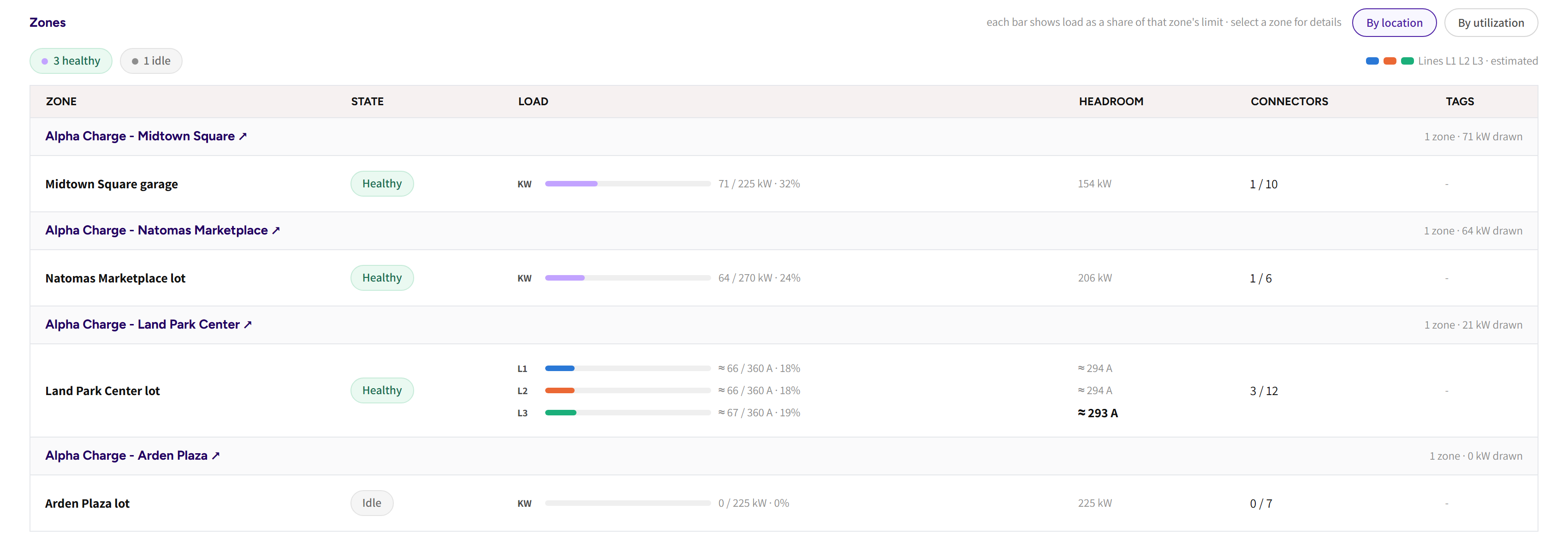
The new Energy menu item opens Load balancing, one live picture of how your sites use the power they have.
The page shows the power your chargers draw right now, how many zones are holding sessions back, and the zone errors of the last 24 hours in a Needs attention list you can acknowledge. Every zone is listed under its location with its state, load, headroom and connectors in use, grouped by location or sorted by pressure.
Open a zone to see the limit it works under, the load on each line, what each charger has been allocated, and the zone's event history, including when limiting started and ended.
Platform: Spark
2. My dashboards: build your own dashboards
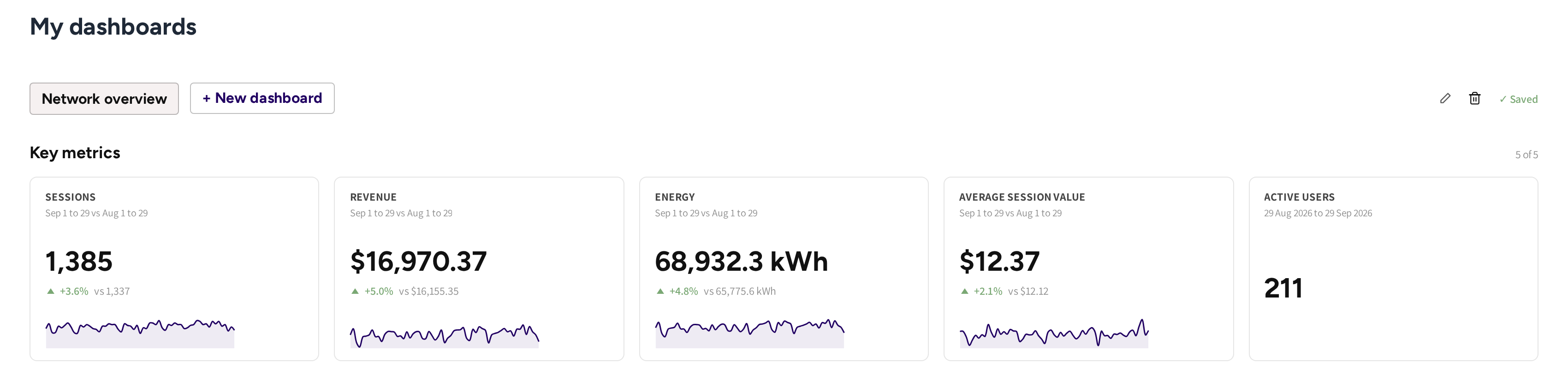
My dashboards lets every admin create up to three dashboards tailored to the numbers they follow.
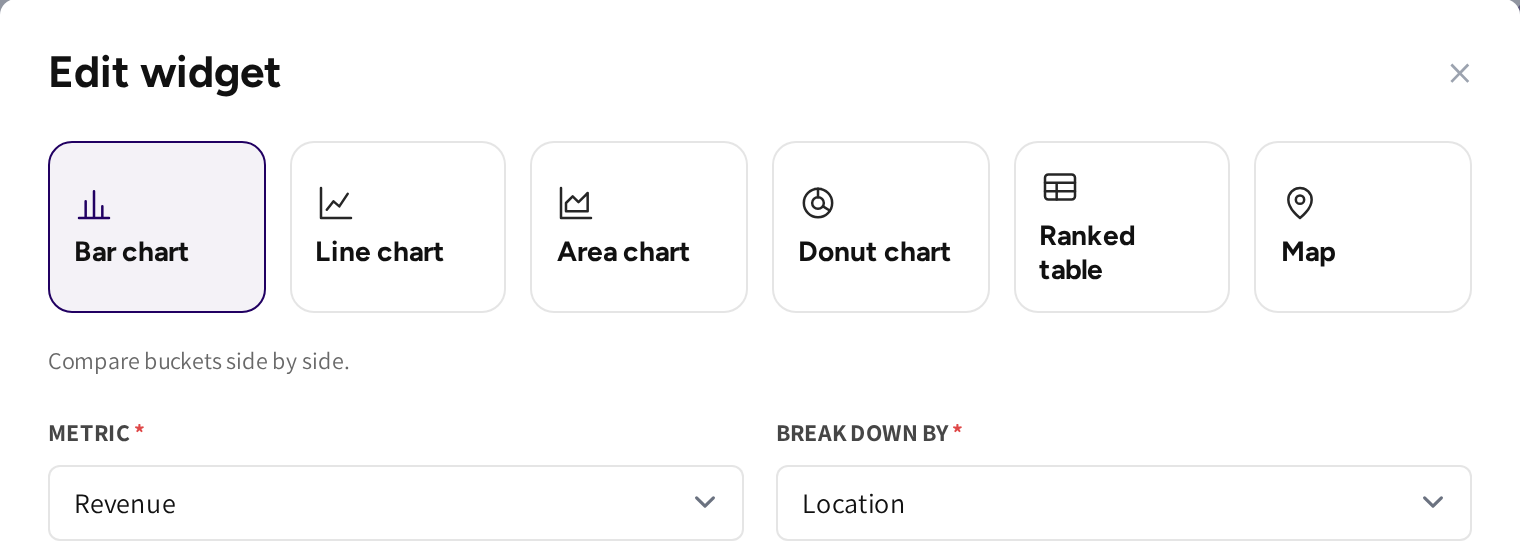
Pick the numbers you follow as KPI cards, with a sparkline and a comparison against the previous period or month to date, and add line, bar, area and donut charts, ranked tables and a location map below them. Each widget has its own CPO, location and period filter, and the layout saves as you go.
Operators with sub CPOs also get Earnings and Payouts metrics, making it easier to tell retained revenue from payouts.
Platform: Spark
3. A dashboard for fleet managers
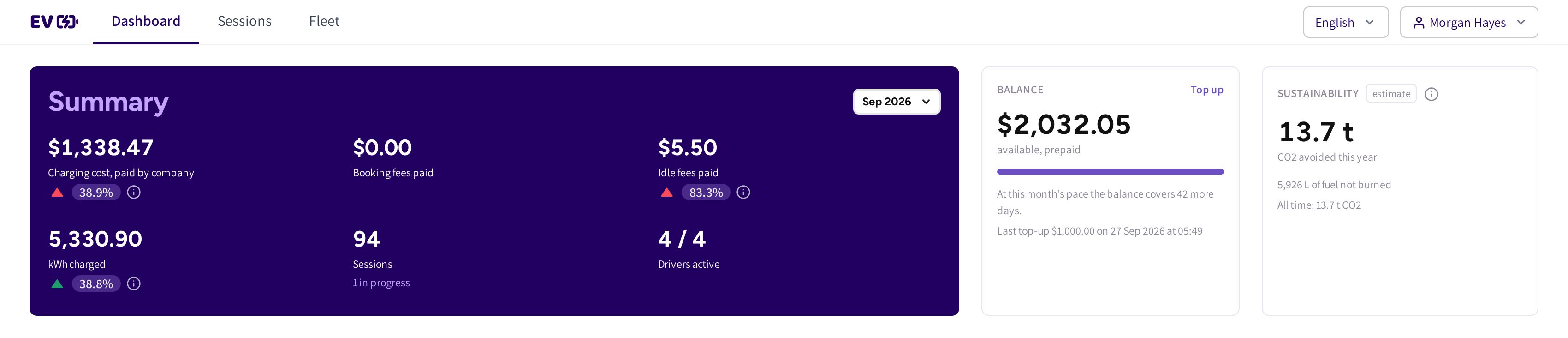
Fleet managers of your customer companies now land on a Dashboard of their own.
It shows the month's charging cost paid by the company, booking and idle fees, kWh charged, sessions and active drivers, each against the month before. Prepaid companies see their balance, how many days it lasts at this month's pace, and a Top up button. A sustainability card estimates the CO2 avoided and the fuel not burned this year.
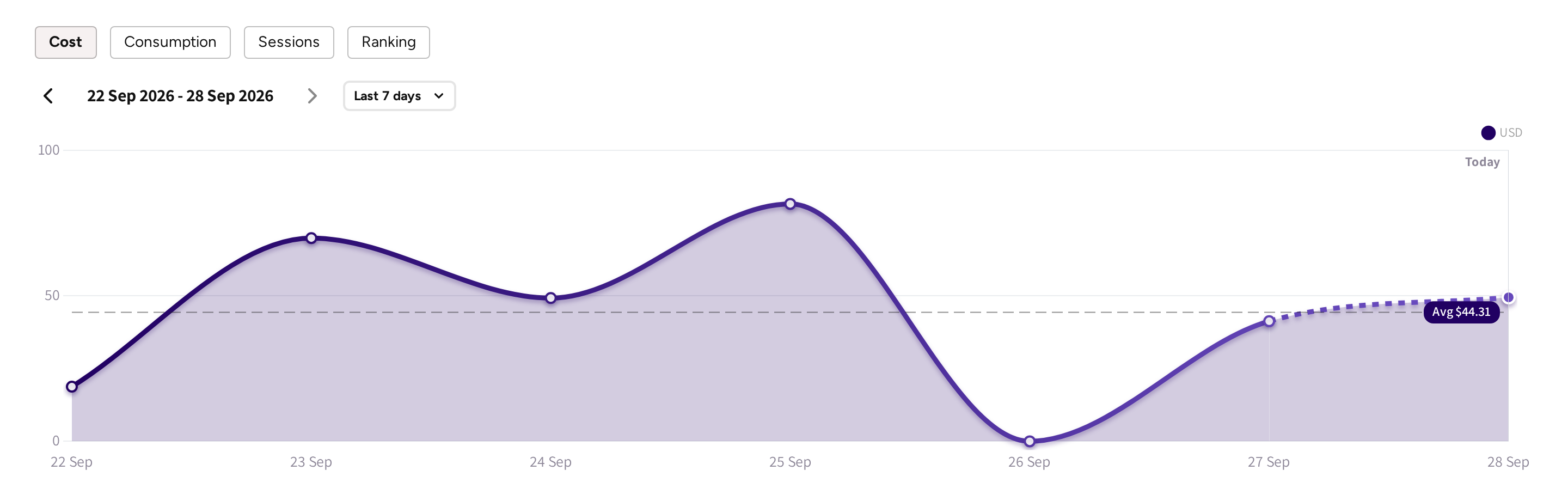
Graphs cover cost, consumption and sessions, and a Ranking tab breaks the month down by team, driver, vehicle and location, filtered by who paid.
Platform: Spark
4. Spark in your language
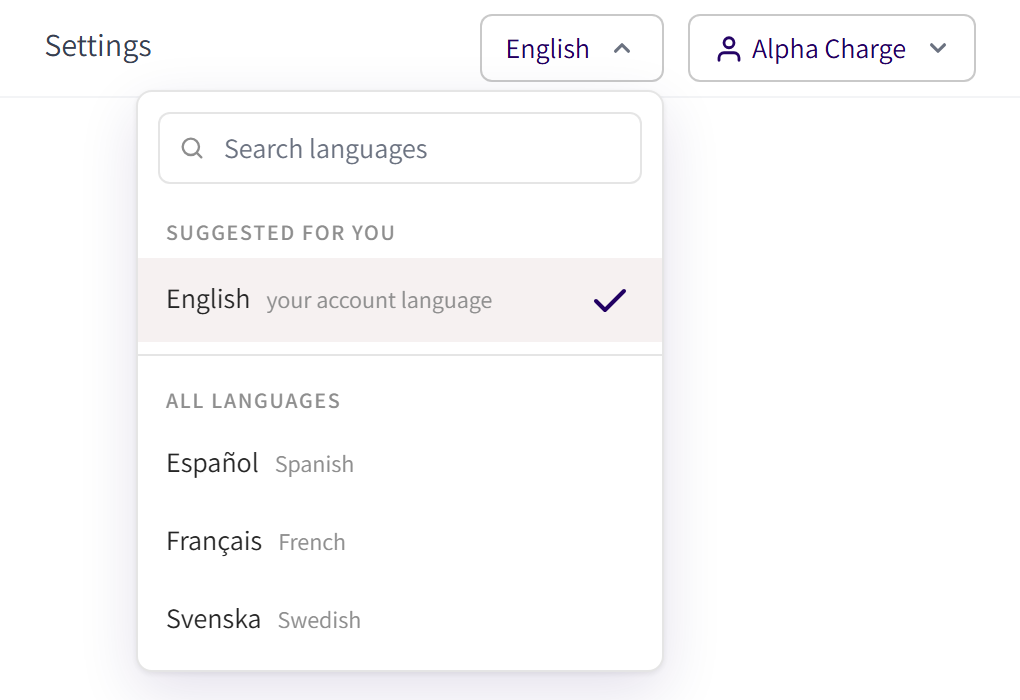
Spark is now available in English, Swedish, Spanish and French. The language switcher in the top bar changes the whole screen at once, dates, calendars and chart labels included, and calendars start the week on Monday in every language.
Your language is saved on your account, so emails and other messages from the platform follow it too. New admins pick their language when they sign up, and the login pages have a language control of their own.
The redesigned Profile page shows your name, email, language and password as rows you edit in place.
Platform: Spark
5. Richer Price Profiles
Price Profiles now support several additional pricing options:
- Weekday prices: a time of day period can apply to chosen weekdays only, and date based pricing takes priority over weekday pricing, while weekday pricing takes priority over the general price.
- Date-based pricing: a single date or a date range, such as a public holiday or a festival week, priced for the whole day and repeated yearly if you wish.
- Service fee: a fee component that is shown on its own line on the driver's receipt.
- Live prices per price zone: a live electricity price profile can be set up for each price zone of your market.
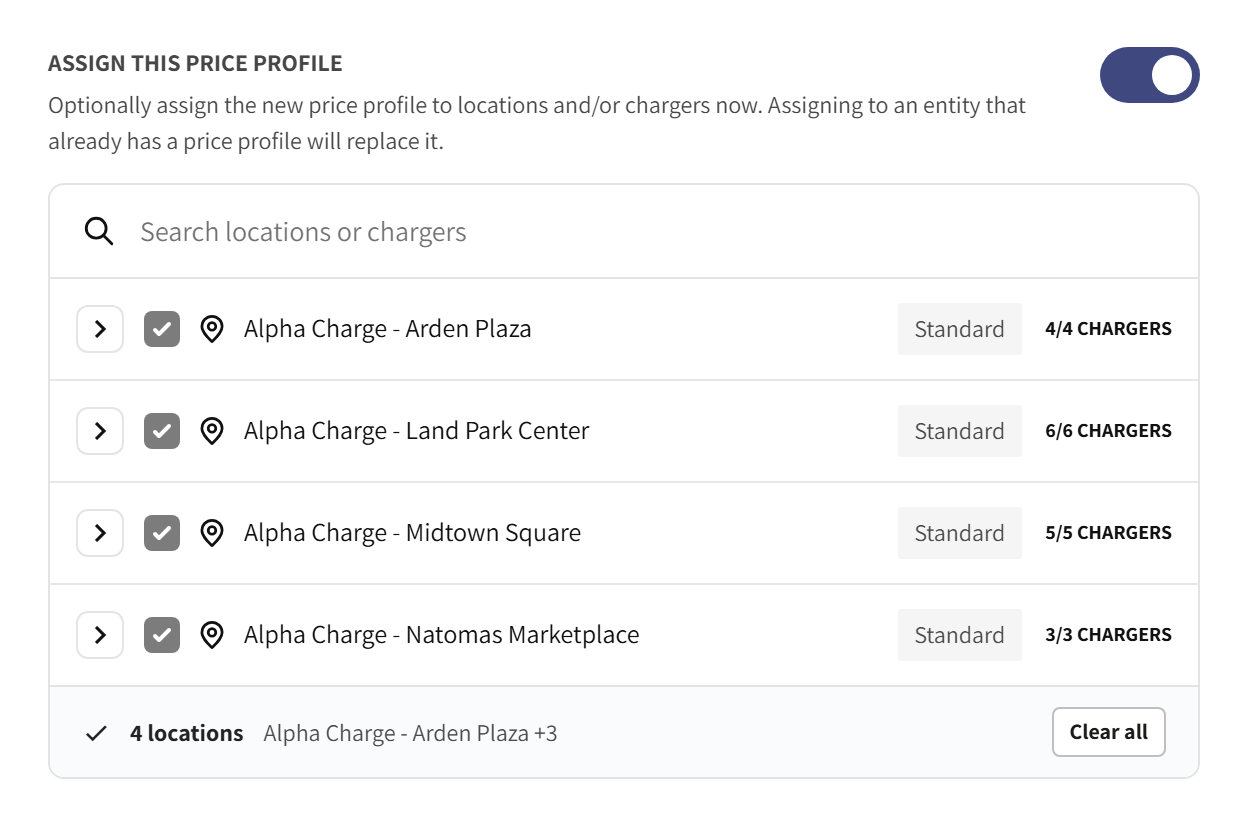
- Assign from the profile: switch on Assign this price profile and tick the locations and chargers, instead of visiting each one.
Platform: Spark
6. Private chargers: every plug has its own settings
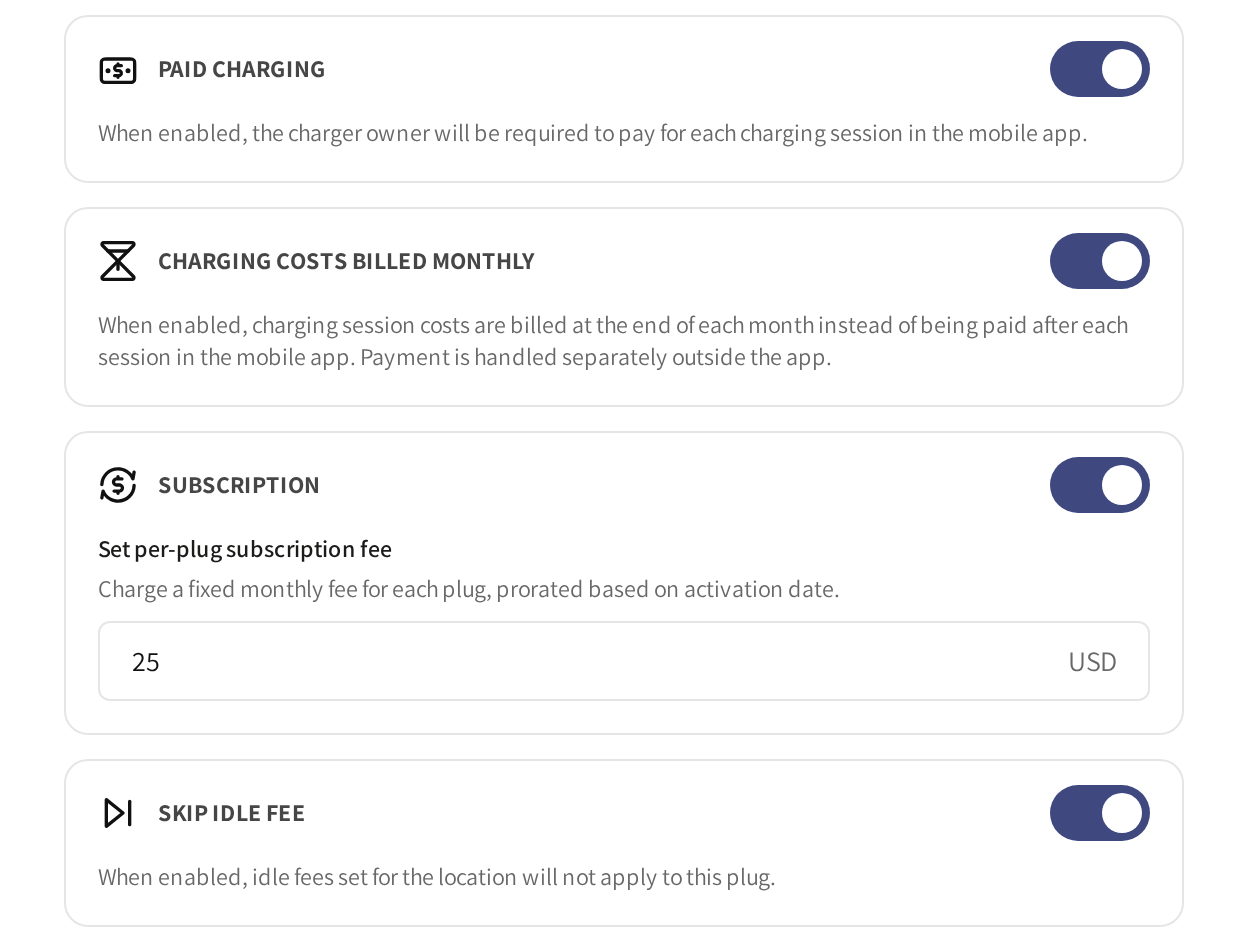
On a private charger each plug now carries its own settings next to its owner: a Plug alias, Paid charging, Charging costs billed monthly and Skip idle fee. The two plugs of one charger can be set up differently, for example one free and one paid.
Manage shared users groups users per plug on every multi plug charger, with separate lists for verified and pending users. The Private chargers tab shows a Users column and finds a charger by any of its plug aliases.
Two filters were added to Charge points: Locations with private chargers on the Locations tab, and a Plug status filter on every charger list, next to the renamed Charger status filter.
Platform: Spark
7. Intelligence improvements
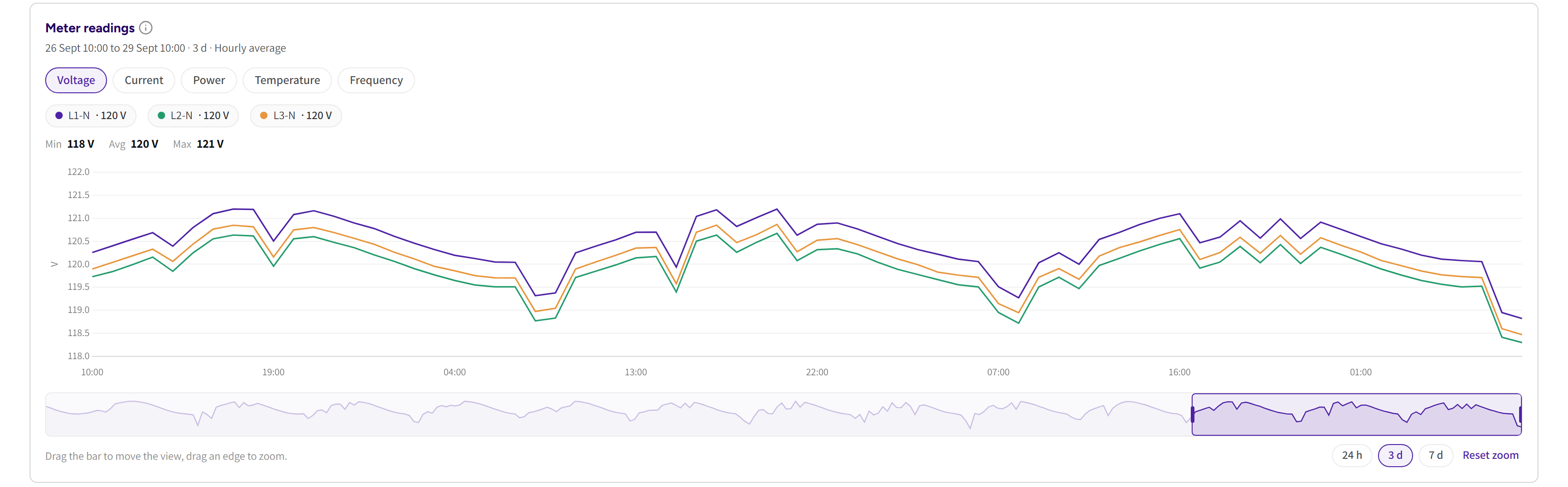
- Charger Insights moved into the charger analysis page: a Meter readings card with a zoom bar and per phase readings, and a lifetime line with sessions, kWh, revenue and average charging speed.
- Charger and plug identification is now consistent throughout Intelligence, with Charge box IDs, serial numbers and Plug IDs shown where relevant.
- Charge box IDs, Plug IDs and locations now link directly to their Intelligence views, so you move from operational data to analysis in one click.
- Needs attention now links directly to the relevant filtered charger list, and the list can be filtered by charger state.
- Alert emails now include a charger's escalation to Critical in the same email that reports the outage, so you no longer receive a separate email per charger.
Platform: Spark
8. AI assistants that do more
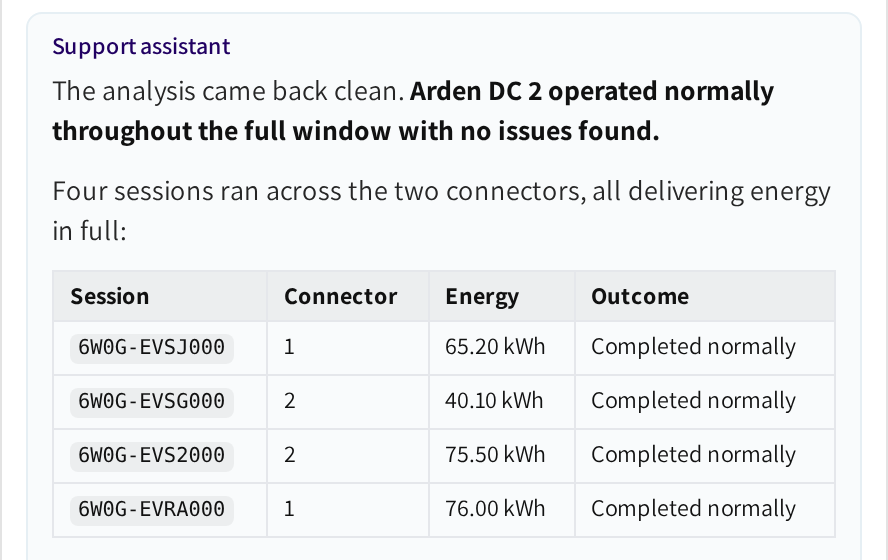
The AI support assistant in Spark can now start a charger analysis or a Session Intelligence analysis when you ask for one, after confirming with you, and posts the result back into the conversation. It can list plugs in a given status, answer connectivity questions such as which address a charger should connect to, and reply in your language.
In white label driver apps, the AI customer support finds a location by name, city or street, and its how-to answers follow the features of that app.
Platform: Spark, Mobile
9. Fleet Wallet top ups by card
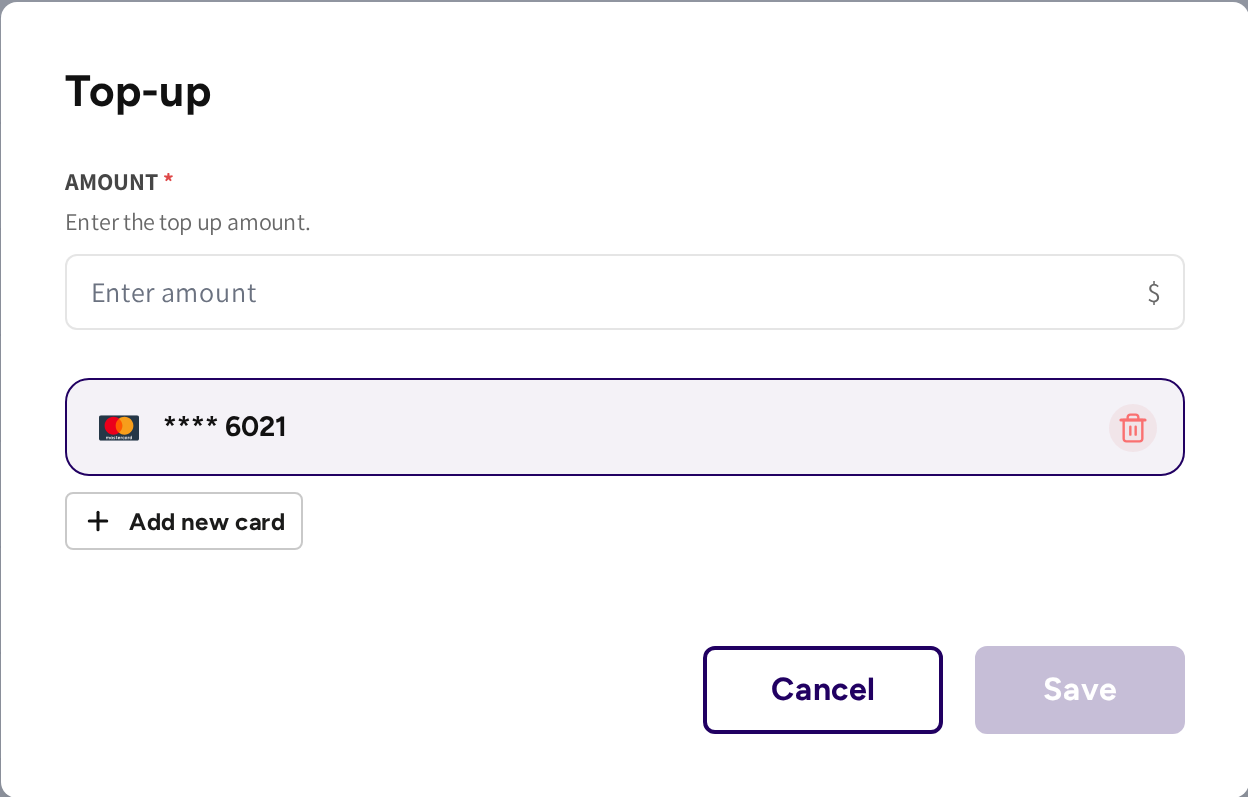
A fleet manager can now top up the company's prepaid Fleet Wallet balance by card directly from their dashboard.
Session Details now also shows the Pre-paid amount collected upfront on a prepaid session, so the breakdown matches what the driver paid and what was refunded.
Platform: Spark, Mobile
10. A refreshed Dashboard summary
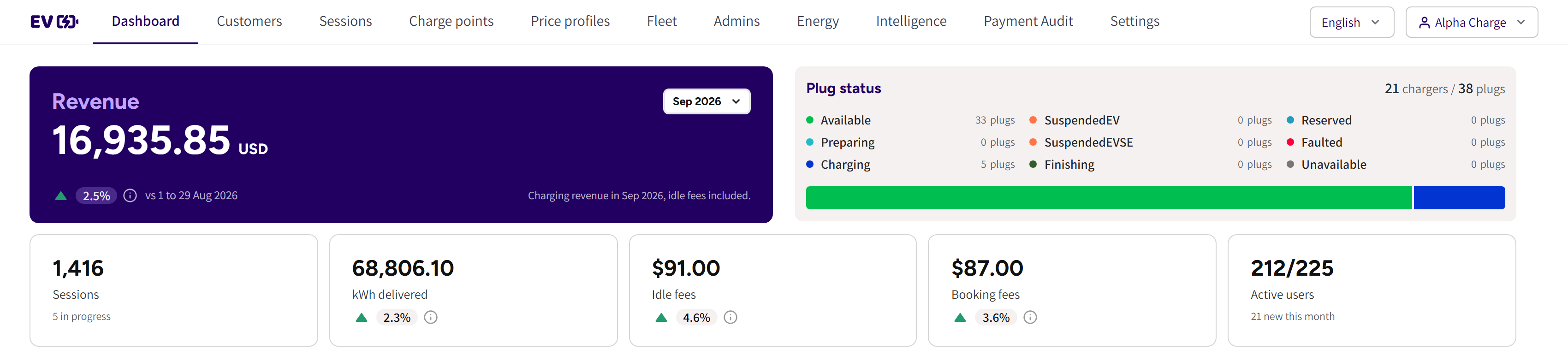
The Summary card on the Dashboard has a new layout: the month's revenue as the headline with a month picker, a currency picker when the month holds more than one currency, and tiles for sessions, kWh delivered, idle fees, booking fees and active users.
Month to date performance is now compared with the equivalent period of the previous month, giving more meaningful trend comparisons throughout the month.
Platform: Spark
11. Clearer push notifications for drivers
Drivers get three new notifications in the app: Charging did not start when a session ends with no energy delivered, a message when a newly installed hybrid charger comes online for the first time, and, on prepaid fleets, a note when an amount is reserved from the shared Fleet Wallet for their session and again when the unused part is released.
Push notifications now follow the language configured for your app, keeping communication consistent with the app experience.
Platform: Mobile
12. A clearer idle fee screen in the app
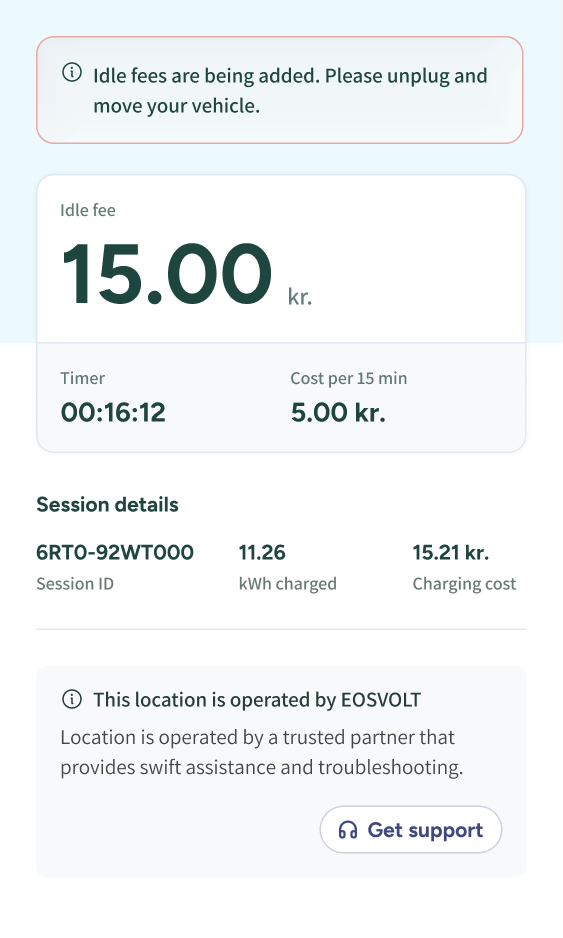
When charging ends and the vehicle stays plugged in, the app now opens a dedicated Idle fee screen. During the grace period it counts down the time left and asks the driver to move the vehicle. Once idle fees start, it shows the fee so far, the timer and the cost per interval, with the session details below.
The minimized drawer follows the same flow, showing the grace period countdown or the idle fee and timer at a glance.
Platform: Mobile
13. Faster search across Spark
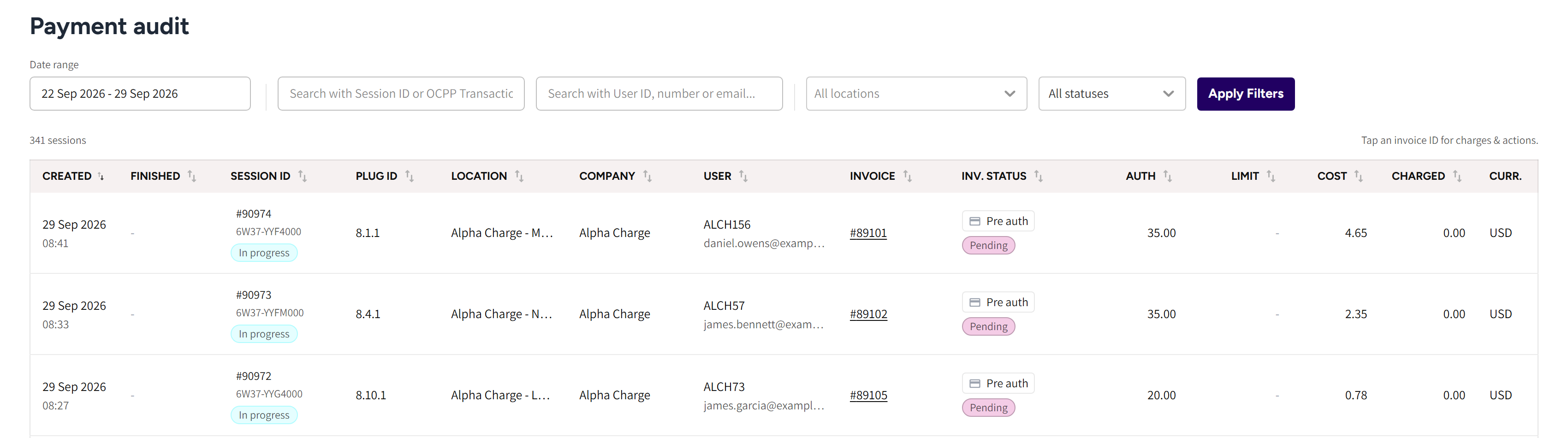
Search has been expanded across Customers, Sessions, Admins and Payment Audit. Operators can now find records by Charge key tag, full name, company name, session ID and location, making larger lists faster to navigate.
Customers also gained a Charge keys column with the tags on hover, and Payment Audit a Location column with a searchable Location filter.
Platform: Spark
14. Expanded exports and reporting
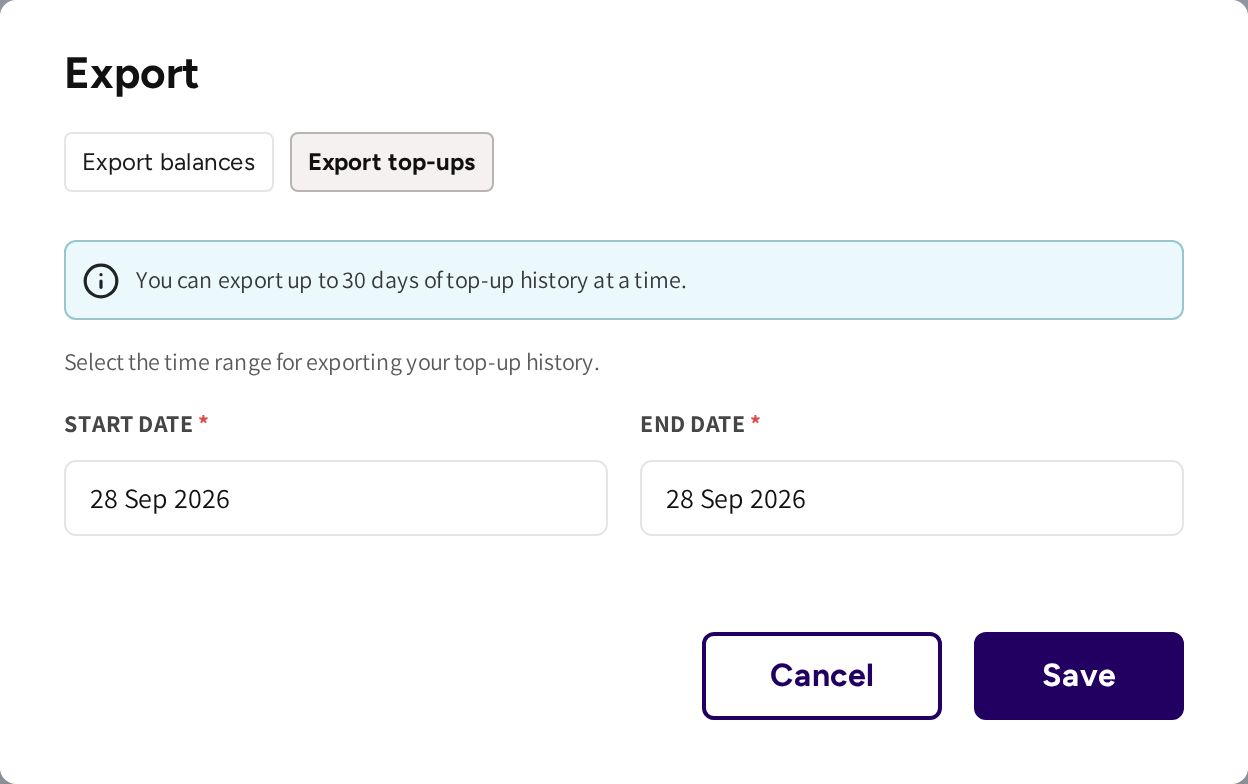
- Wallet: a new top-up export joins the balance export under Export, covering a date range and listing top ups, voucher creation and voucher redemption as separate rows.
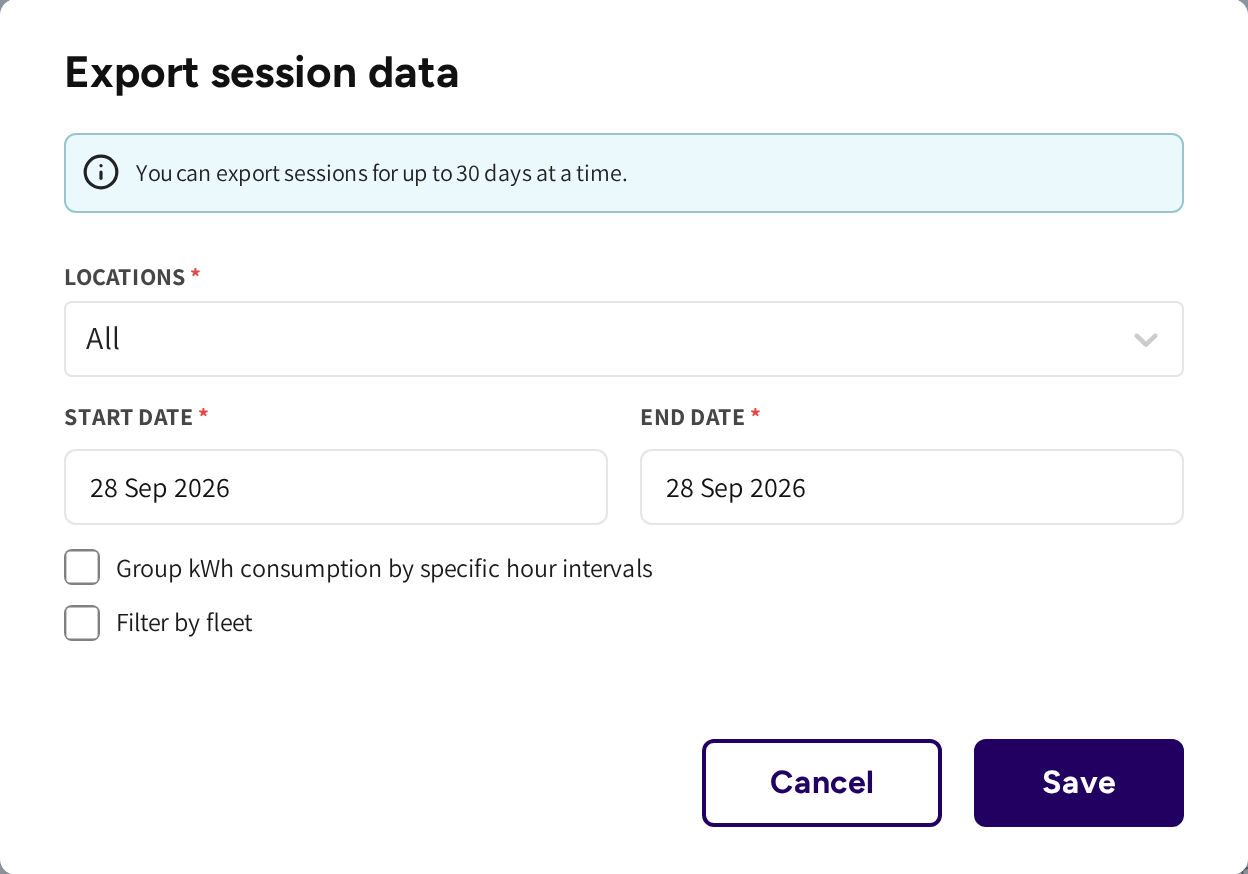
- Sessions: the export can be narrowed to fleet sessions by fleet type, company, team and member discount.
- Remittance reports show the idle fee separately from the electricity cost.
Platform: Spark
15. Improved login codes and invitation emails
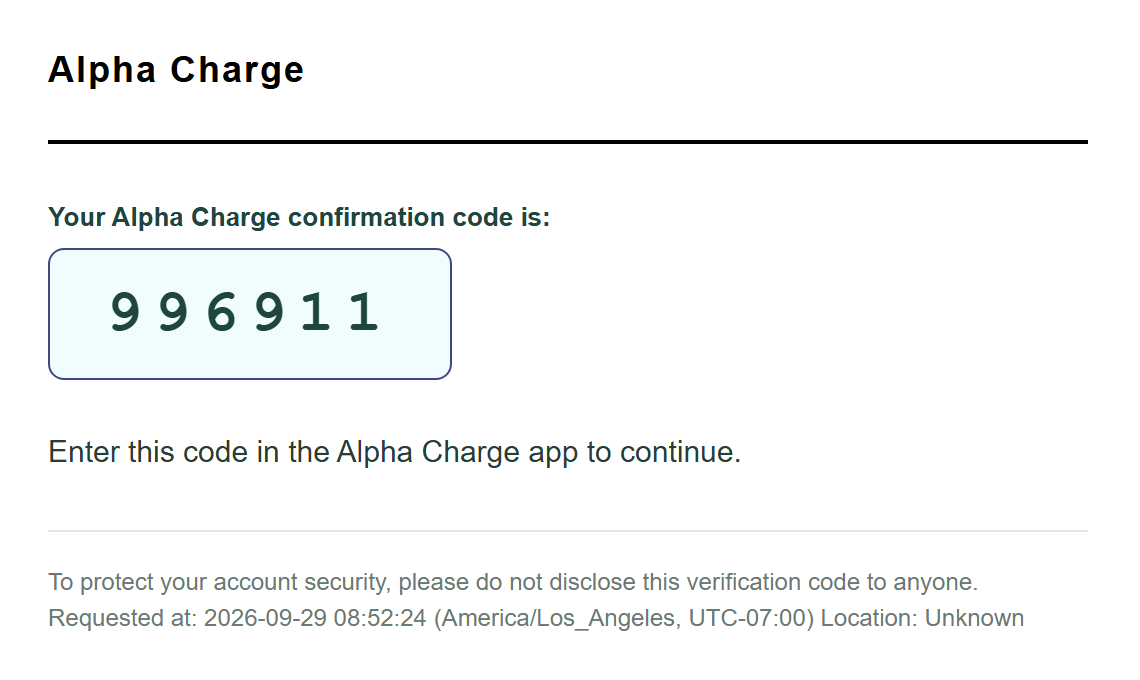
Every email that carries a code now uses a simpler text focused layout with the app name, the code and numbered instructions. The new format is designed to improve deliverability and make login codes easier to use. On mobile, the code can also be pasted directly into the login form.
Platform: Spark, Mobile