
Wallet
See what your drivers hold in their in-app wallets, hand out vouchers, top a driver up, export balances and top ups, and follow every movement on one driver's wallet.
The Wallet lets your drivers keep credit in the app and pay their charging and bookings with it. Customers → Wallet is where you see what everyone holds, hand out vouchers and top drivers up.
At a glance
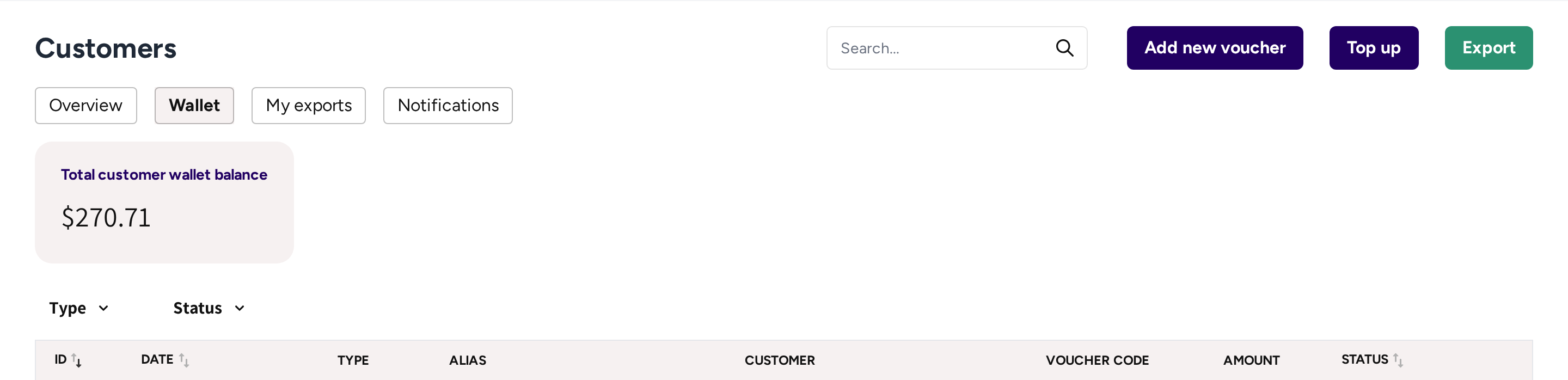
- Wallet: the tab under Customers, next to My exports where your export files wait.
- Add new voucher, Top up and Export: the three things you do here.
- Total customer wallet balance: what your drivers hold between them right now.
- Type and Status: the filters of the list below.
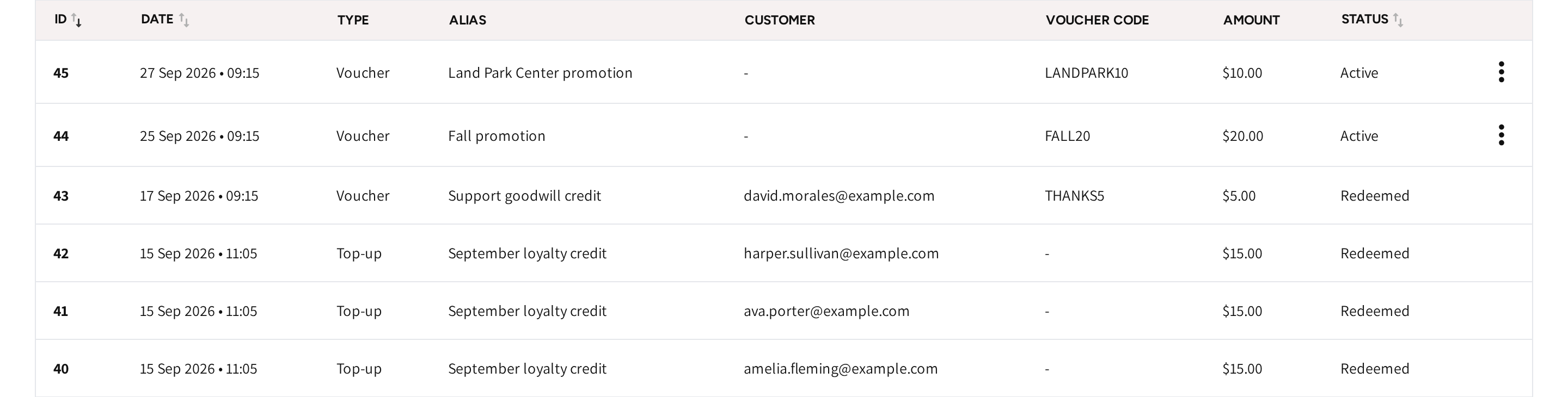
- The list: every voucher and top up you made, newest first, with its date, type, alias and amount.
- The customer: who redeemed the voucher or got the top up. An unused voucher shows a dash.
- The voucher code: what the driver enters in the app.
- The status: Active for a voucher nobody has used yet, Redeemed once it was used or credited.
- The menu at the end of an active voucher's row: cancel the voucher.
Top ups that drivers make themselves in the app are not in this list. They show on each driver's own wallet, see below.
Hand out a voucher
A Voucher puts credit in a wallet without a payment. Use one for a promotion or to make up for a problem.
- Go to Customers → Wallet and click Add new voucher.
- Enter a Voucher alias you will recognize in the list later.
- Enter the Amount.
- Enter the Voucher code the driver will type, 5 to 16 letters and numbers.
- Click Save.
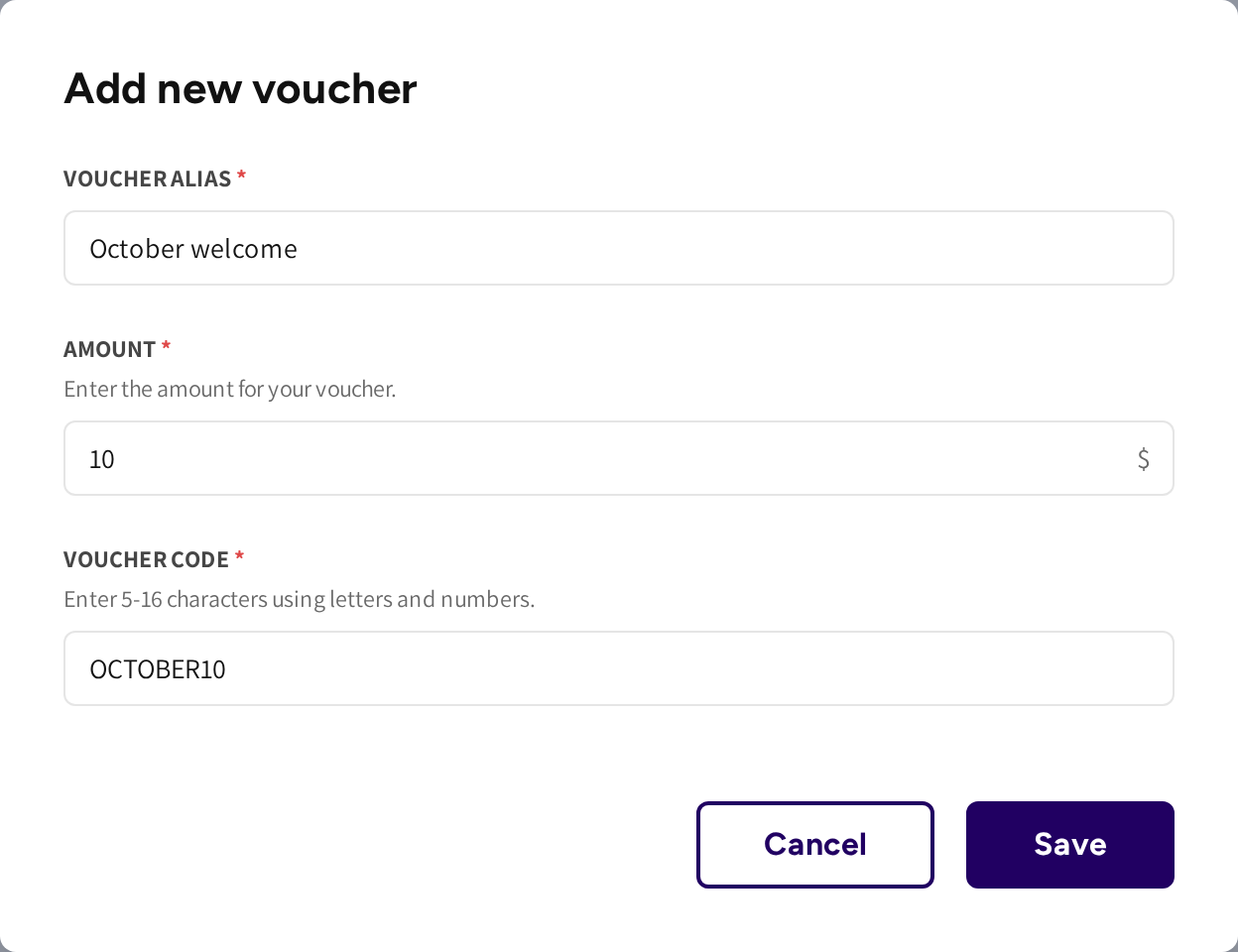
The voucher then shows in the list as Active. When a driver enters the code in the app, the amount goes into their wallet.
The voucher then shows Redeemed with the driver's email. To withdraw an unused voucher, open the menu at the end of its row and click Cancel. A cancelled voucher can no longer be used by anyone.
Top a driver up
- Click Top up.
- Enter a Top-up alias and the Amount.
- Under Customers, pick one or more drivers.
- Click Save.
The amount goes into each driver's wallet at once. You can also top up one driver from their own Wallet tab, where Top up already has them filled in. You can add money to a wallet, but you cannot take it out again.
Export balances or top ups
- Click Export.
- Pick Export balances for what every driver holds now, or Export top-ups for a date range.
- For top ups, pick the Start Date and the End Date, up to 30 days at a time.
- Click Save.
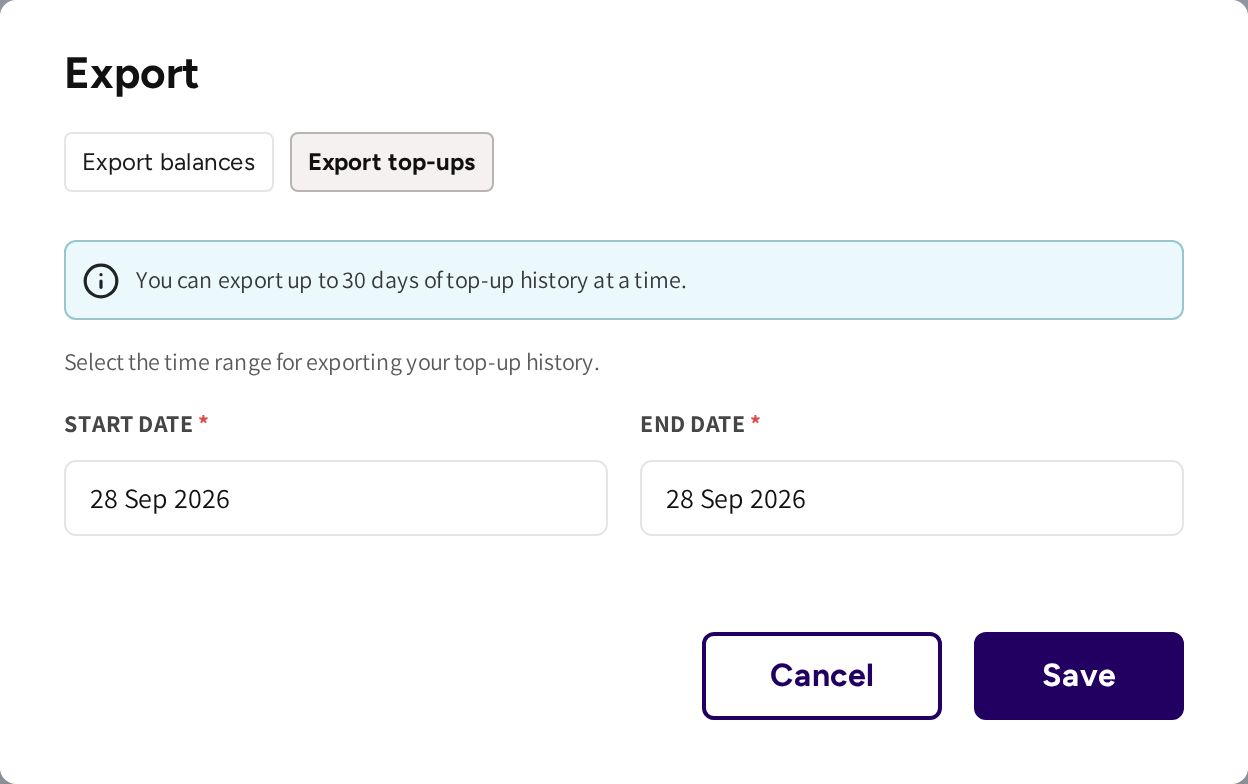
The file is prepared and then shows on the My exports tab. You can download it as often as you need for 48 hours.
In the top up file, a redeemed voucher has two rows. "Voucher" is dated the day it was made, "Voucher redemption" the day it was used.
Read one driver's wallet
Open the driver from Customers and go to their Wallet tab. It shows their Balance and every movement, newest first.
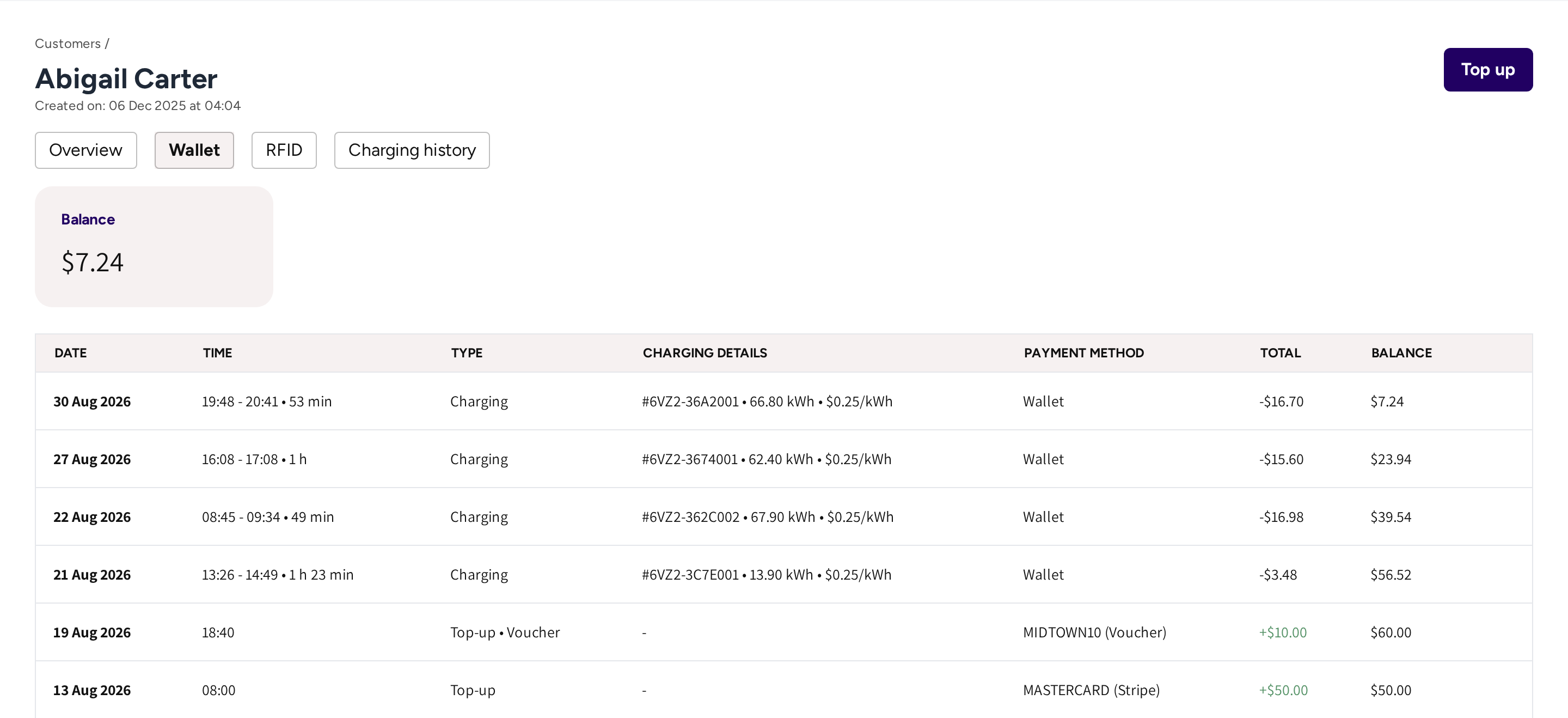
Each row has its Date, Time, Type, Charging details, Payment method, Total and the Balance after it. A top up is shown in green with a plus.
| Type | What it means for you |
|---|---|
| Top-up | The driver topped up in the app with their card. |
| Top-up • Voucher | The driver redeemed a voucher. |
| Top-up • Platform top up | You topped the driver up from the dashboard. |
| Charging | A session paid from the wallet, with its session number, energy and price. |
| Booking | A booking fee paid from the wallet. |
| Refund | Money that came back to the wallet from a refunded session. |
| Refund • Paid to user | A refund you paid back to the driver outside the app. |
If the driver has not activated the wallet in the app yet, then the tab says so, and the balance cannot be spent until they do.
Mark a refund as paid back
Sometimes a refund goes into the driver's wallet, and you pay the driver back by bank transfer instead. The wallet must then stop counting that credit.
- Open the driver's Wallet tab.
- Open the menu at the end of the refund's row.
- Click Mark refunded to user, then click Confirm.
The amount then leaves the wallet, and the row reads Refunded to user. Do this only after the money has left your account: it cannot be undone. If your admin account may mark refunds as paid back, then this menu is shown on refund rows.
Not the same as the Fleet Wallet
A Fleet Wallet belongs to a fleet company, not to a driver. The company's charge keys draw on it. It never shows in the lists here, see Fleet Wallet.
Common questions
Where do I see the vouchers and top ups I made? On Customers → Wallet. Use Type and Status to narrow the list, or search by alias, code or email.
Can I take money out of a driver's wallet? No, you can only add money. The one exception is Mark refunded to user on a refund that you paid back to the driver yourself.
How do I give a driver credit after a problem? Top them up with Top up, or create a voucher and send them the code. Both reach the wallet right away.
How do I get a list of everyone's balance? Click Export, pick Export balances and click Save. The file shows on My exports and stays there for 48 hours.
A driver says their wallet does not work. What do I check? Open their Wallet tab. If it says the wallet has not been activated yet, then the driver still has to activate it in the app.
Updated 11 days ago