
Charge keys, Cars & Drivers
Manage the building blocks of a fleet: the charge keys that start a session, the cars they belong to and the drivers who use them, and find out why a key stopped working.
A fleet is built from charge keys that start charging, the cars they belong to, and drivers. This page explains each list and what to check when a key does not start a session.
At a glance
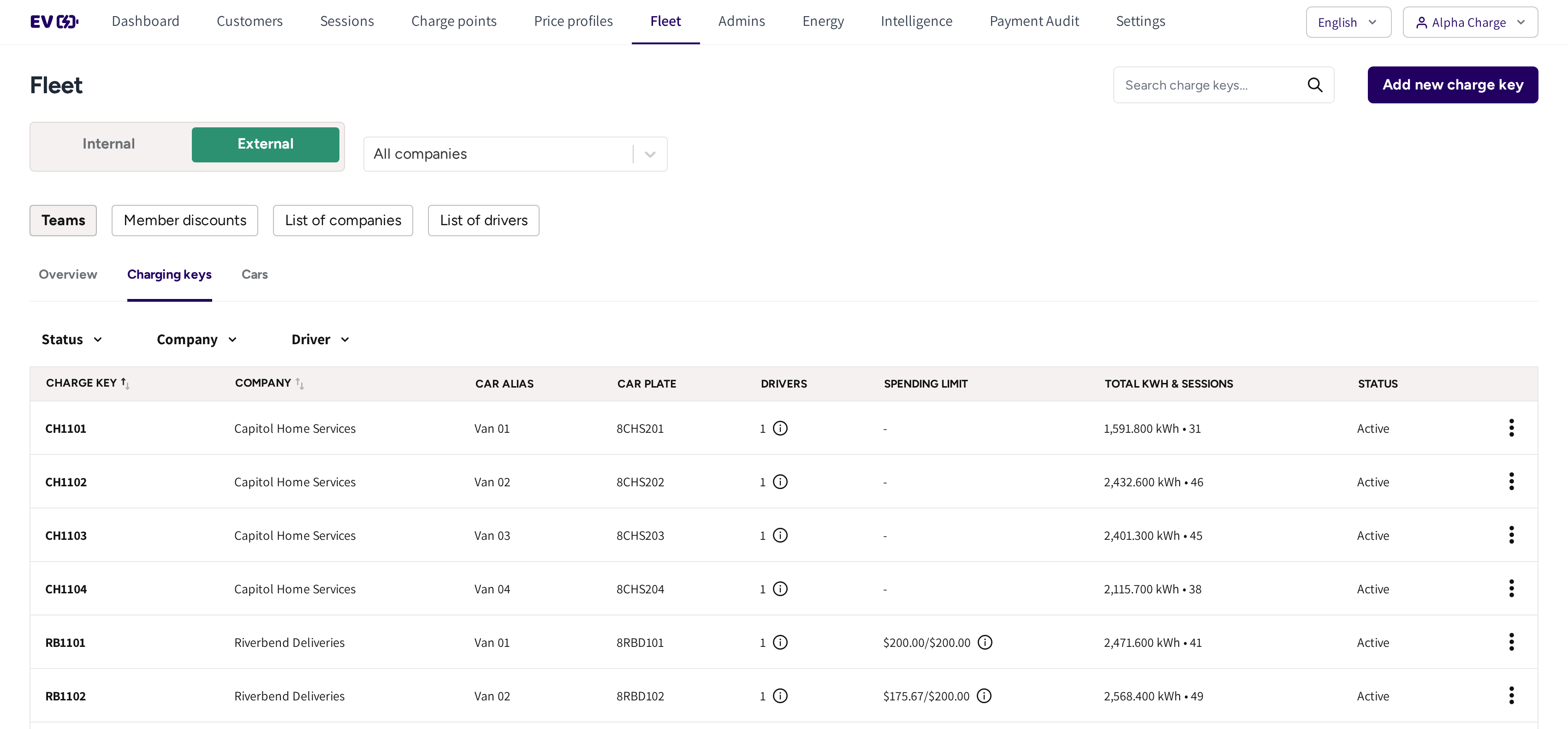
- Charging keys: every key of the fleet you picked, Internal or External.
- Status, Company and Driver: the filters above the list.
- Charge Key, Car Alias and Car Plate: the key and the van it belongs to.
- Drivers: how many drivers may use the key. Hover the information icon to see who.
- Spending limit: what the key may still spend of its team's limit in this period.
- Total KWH & Sessions: the key's charging so far. Click it to open the sessions.
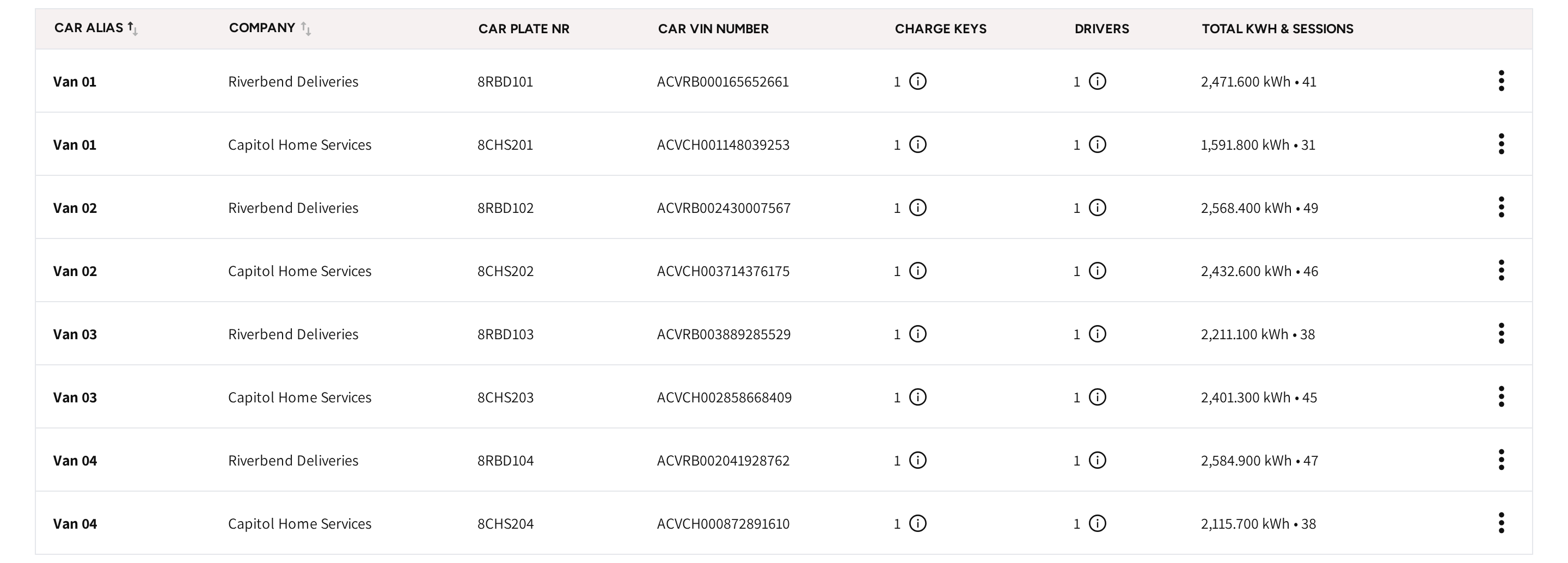
- Cars: every van with its Car Plate NR and Car Vin Number, its Charge Keys, its Drivers and its charging.
Charge keys
A Charge key starts a fleet session in one of three ways:
- The driver taps an RFID card on the charger.
- The vehicle identifies itself through the MAC address of its charging port when it plugs in.
- The driver picks the key in the app as the payment method and starts from the phone.
The session is then paid the fleet's way, not with the driver's own card. The key value may contain only letters and numbers.
Change or switch off a key
- Open Teams → Charging keys.
- Open the menu at the end of the key's row and click Edit.
- Change Added car or Added Drivers, or set Charge Key Status to Inactive.
- Click Save.
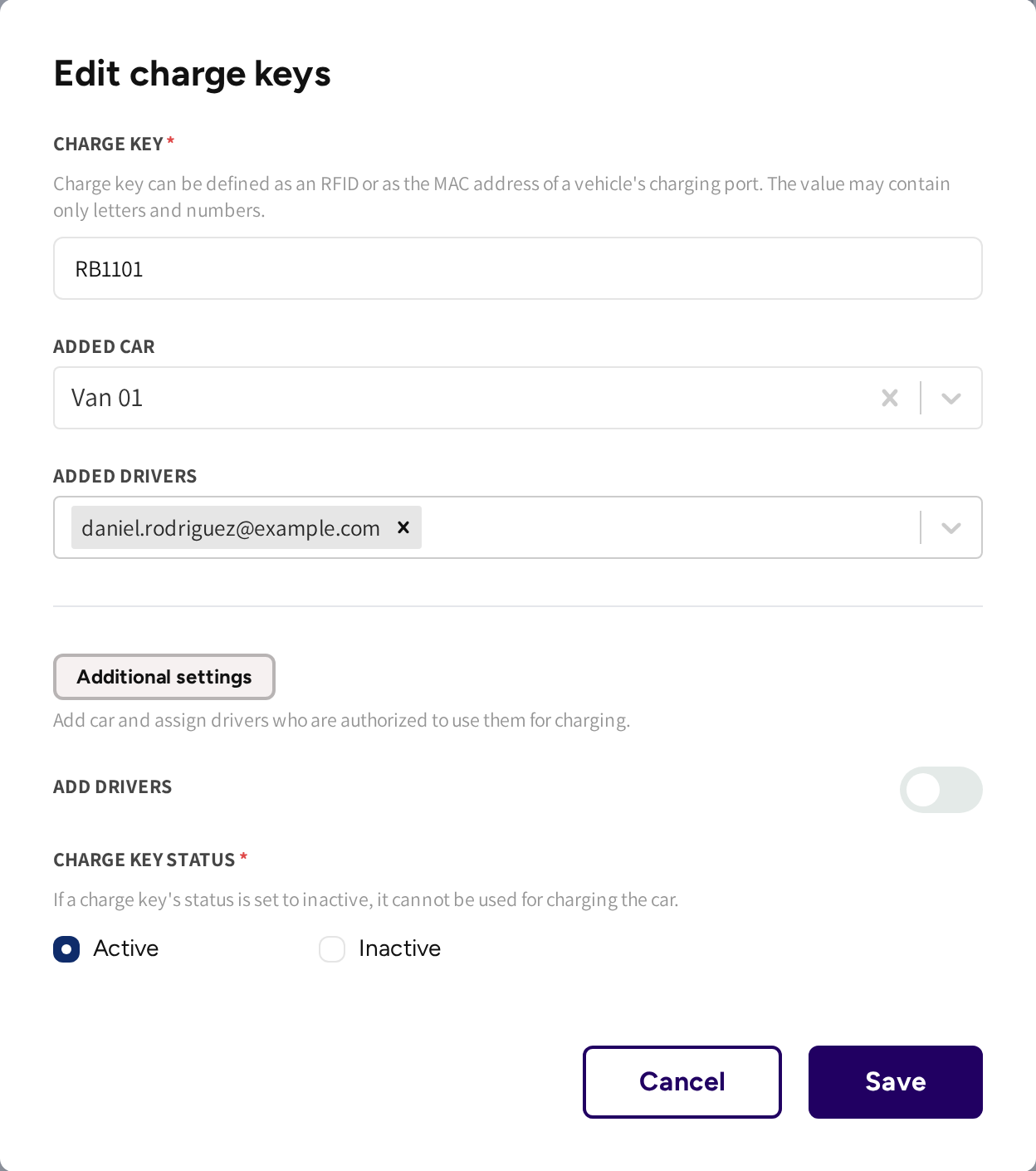
An inactive key cannot be used for charging until you set it to Active again. Delete in the same menu removes the key from every driver.
Cars
A car groups the keys and drivers of one vehicle. Add one under Teams → Cars with Add new car: its alias, plate number and VIN. Deleting a car removes only the car; its keys and drivers stay.
Drivers
A driver is an app user you added by email under List of drivers. Each driver needs a charge key or a Member discount.
| Status | What it means for you |
|---|---|
| Joined | The driver redeemed the invitation, and their keys work in the app. |
| Pending | The invitation was sent but not redeemed yet. The name shows (pending - invitation sent), or (pending - code expired) once the code is too old. |
For a pending driver, open the row menu and click Resend invitation code. Removing a pending driver makes their code invalid.
When a key does not work
Check these in order:
- Charge Key Status is Active.
- If the key's team has a Spending limit, then Spending limit still shows money left for this period.
- If the key belongs to a company on Prepaid billing, then the company's balance is not used up, see Fleet Wallet.
- If the location is semi-public, then the key's team may use that charger, see Teams & Member discounts.
A tap at the charger and a start from the app follow the same access rules.
Common questions
What can I use as a charge key? An RFID card or tag, or the MAC address of the vehicle's charging port. Drivers can also pick the key in the app and start without a card.
Why does a driver show as pending? They were invited by email but have not redeemed the code in the app yet. Resend the code from the row menu in List of drivers.
A key stopped working mid week. Why? Most often the team's spending limit is used up for the period. The key works again after the reset, or when you raise the limit.
Can one driver have several keys? Yes, and one key can be shared by several drivers. Add them under Added Drivers in the key's window.
How do I see what a key was used for? Click its figure under Total KWH & Sessions. Fleet sessions opens, filtered to that key.
Updated 11 days ago