
Admin permissions
What each section and action in Access settings lets an admin do, how a location limit combines with them, and what an external admin of a fleet customer can reach.
Access settings on an admin's form decides which sections they see and what they may change there. This page explains the sections, the location limit and what an external admin can reach.
At a glance
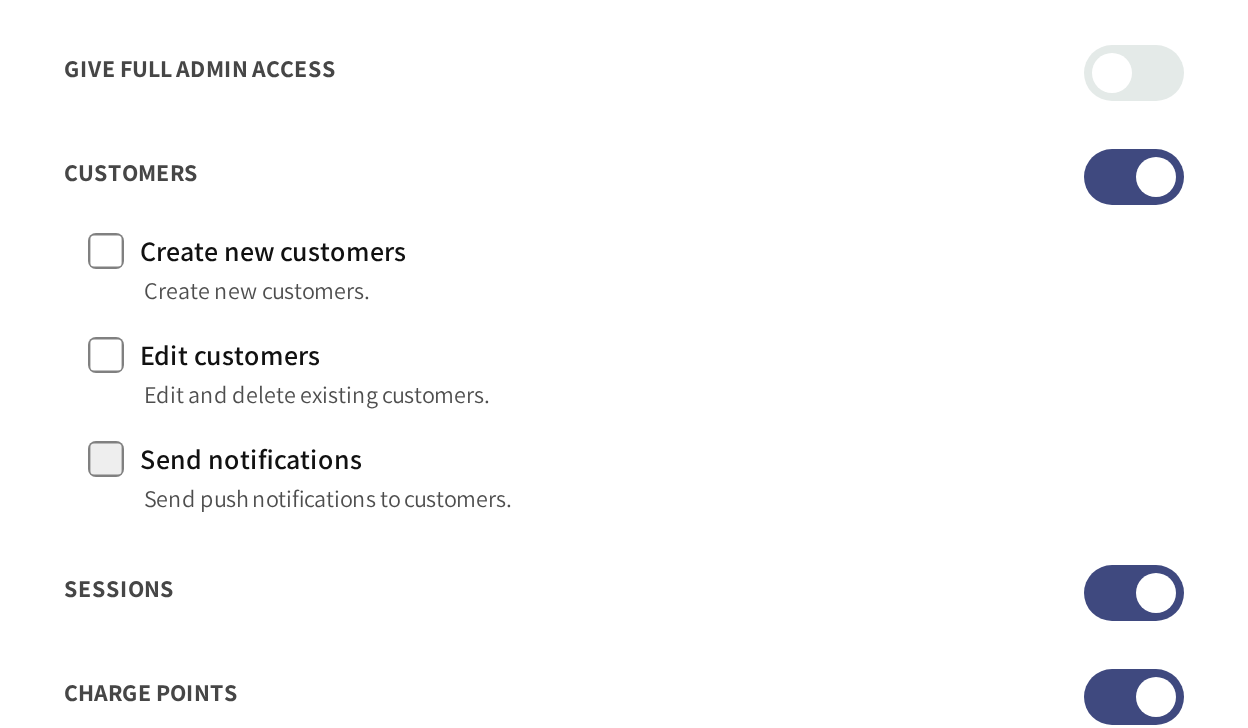
- Give full admin access: off, because this support admin only looks.
- Customers: on, with every action unticked, so the admin reads customers without changing them.
- Sessions and Charge points: on, so the admin sees sessions and your chargers.
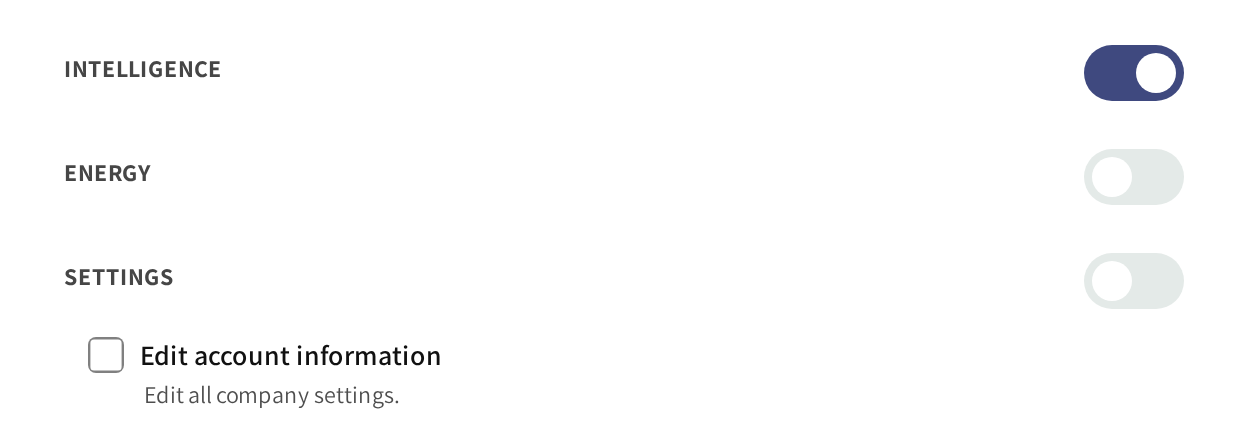
- Intelligence: on, so the admin can read charger health and issues.
- Energy and Settings: off, so neither section is in their menu.
How permissions work
Each section has two layers:
- The section switch: whether the admin sees the section at all.
- The actions inside it: what they may change there, such as adding, editing or deleting.
A section switched on with no actions ticked lets the admin look without changing anything. If Give full admin access is off, then Access on the Admins list reads Limited for that admin.
The sections you can grant
| Section | What the actions allow |
|---|---|
| Customers | Create and edit customers, and send push notifications. |
| Sessions | See the session lists and session details. |
| Charge points | Add and edit locations and chargers, set booking rules, load balancing and firmware. |
| Price profile | Edit price profiles. |
| Admins | Edit, create and delete admins. |
| Payment Audit | Mark a wallet refund as paid out to the user. |
| Intelligence | See charger health, issues and the charging funnel. |
| Energy | See the Energy section. |
| Settings | Edit account information on the Settings page. |
| Fleet | Add and edit drivers, charging keys, cars, teams and member discounts, and reach external fleets. |
Which sections appear depends on what is part of your account. If a module such as fleet or intelligence is not part of it, then its section is not in the form. If revenue or billing is part of your account, then My finances is shown as a section as well.
Limit an admin to some locations
Limited access to locations sits under Charge points. With it ticked, every section only shows the data of the locations you pick.
It combines with the sections. An admin with Sessions and Charge points, limited to one location, sees only its sessions and chargers.
Typical setups
| Admin | Sections to switch on |
|---|---|
| Operations | Sessions, Charge points, Energy and Intelligence, with their actions. |
| Support | Customers, Sessions and Charge points, with no actions ticked. |
| Finance | Sessions, Payment Audit and, where it is shown, My finances. |
| Site host | Sessions and Charge points, limited to their own location. |
External admins
An external admin is the administrator of one of your fleet customers. You add them under Admins with Admin type External, and pick their company as the External CPO.
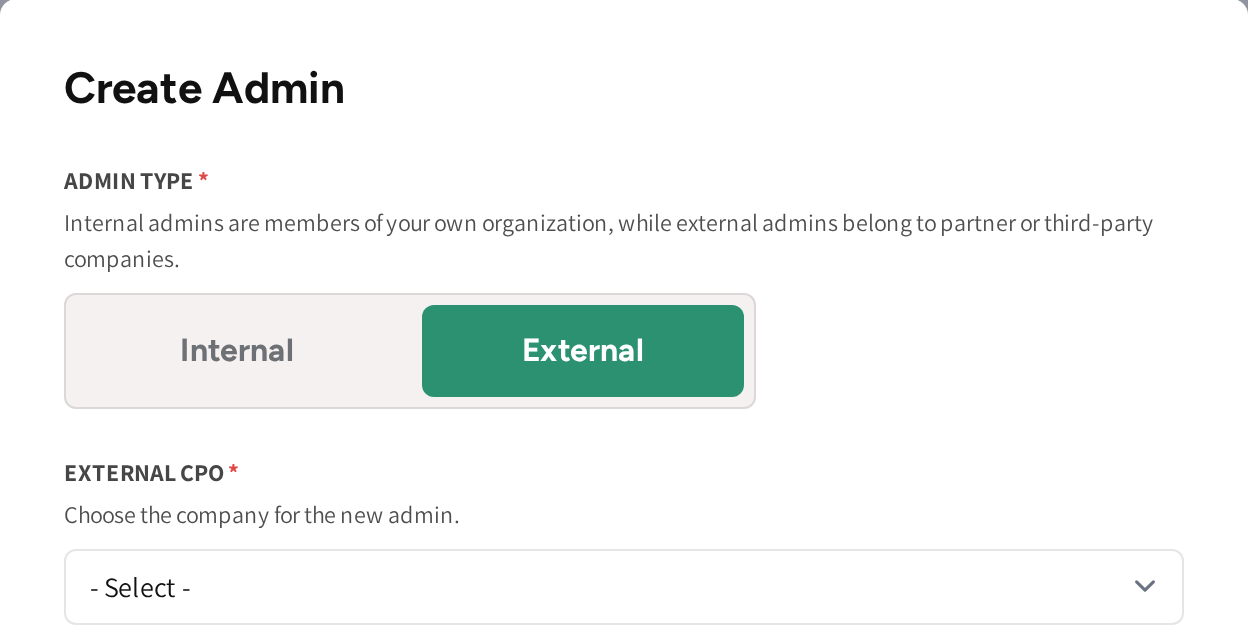
Their form offers two sections, Sessions and Fleet. They manage their own company's drivers, charging keys, cars, teams and member discounts, and see its sessions. They never see your locations, prices, finances or other customers, see Internal & External fleets.
Accounts with several operators
If your account manages several operators, then the form adds a CPO section, for creating and editing the operators under you, and Financials. Admins then has Manage sub-CPO admins as well, which lets an admin edit the admins of those operators.
Common questions
Can I make a view only admin? Yes. Switch on the sections they need and leave every action unticked.
How do I give someone access to only one location? Tick Limited access to locations under Charge points and pick the location. Everything they see is then limited to it.
What can an external admin see? Only their own company's fleet: its drivers, charging keys, cars, teams, member discounts and sessions. Nothing else of your account.
Who can change an admin's permissions? An admin whose own access includes editing admins, and only for admins who hold no more than they do. Nobody can change their own permissions.
Does a location limit also apply to the support assistant? Yes. The AI support assistant only looks up what the admin's own permissions and locations allow.
Updated 23 days ago