
Private chargers
Set up chargers for personal use in condominiums and shared buildings, where each plug has its own owner, its own settings and its own bill.
A private charger is for personal use in a condominium or shared building, where each plug belongs to a resident. You set it up plug by plug on Charge points → Private chargers, with access and bills per owner.
At a glance
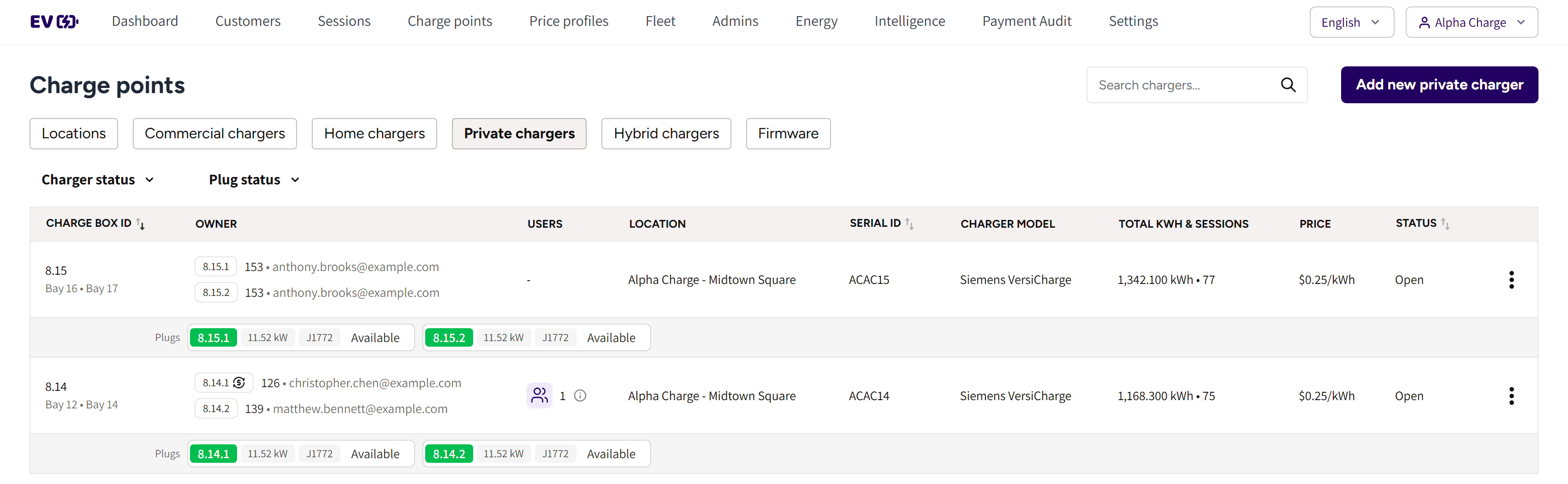
- Private chargers: the tab with every private charger of your account.
- The search box and Add new private charger: find a charger by any of its plug aliases, or add one.
- Charger status and Plug status: the filters of the list.
- Charge box id: the charger's ID, with its plug aliases under it.
- Owner: one line per plug, with the plug's ID, the owner's user ID and email.
- Users and Location: who shares the charger, and where it is.
- Serial id and Charger model: the charger's serial number and model.
- Total kwh & sessions, Price and Status: what it delivered, what it costs and whether it can charge.
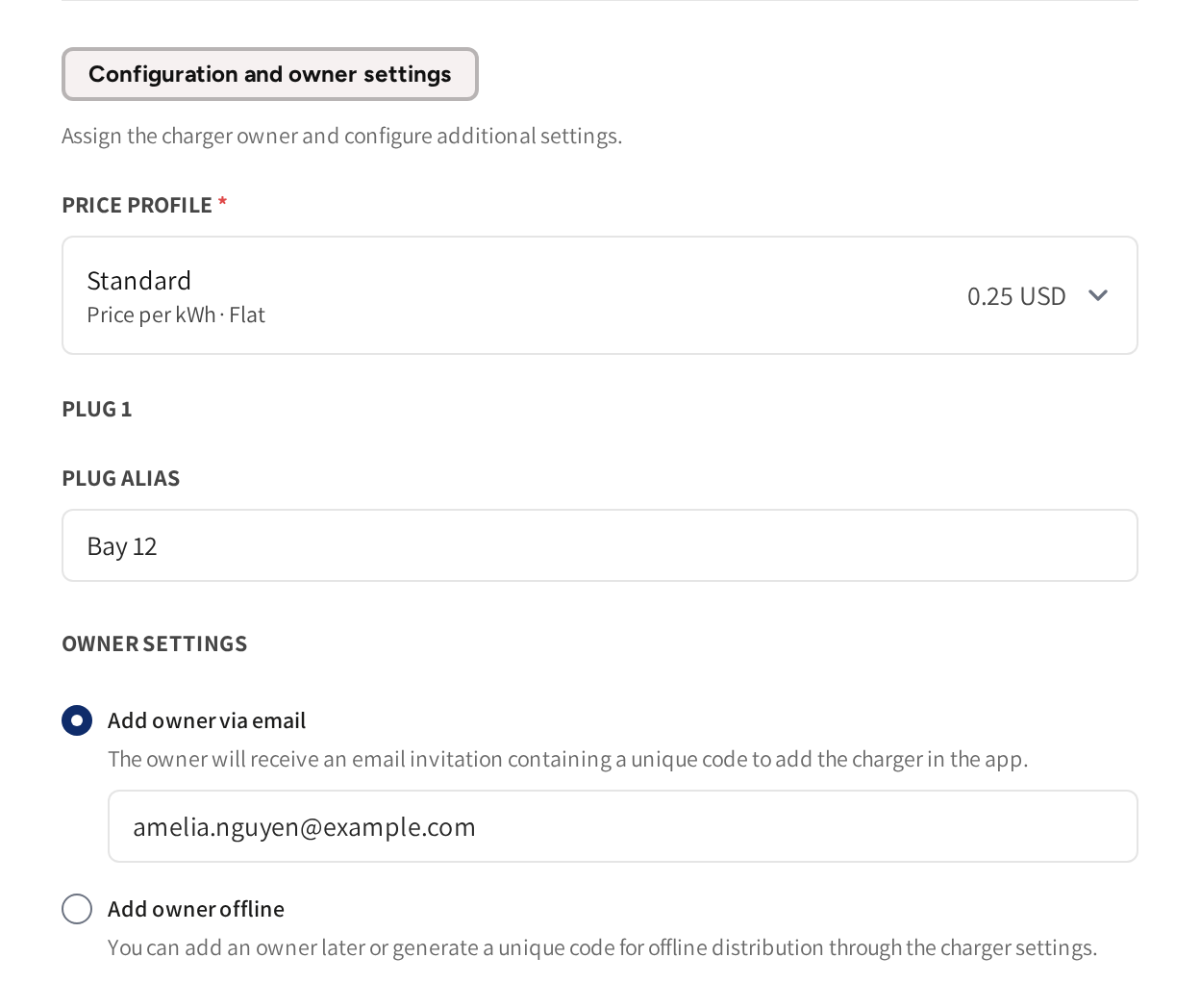
- Configuration and owner settings: the part of the charger form that makes it private.
- Price profile: the price the charger's paid plugs charge.
- Plug alias: the name of the plug, such as the resident's parking bay.
- Owner settings: how the plug's owner is invited.
How private chargers differ
- A private charger belongs to a location, so it takes part in the location's load balancing, see Load balancing.
- Each plug has its own name, owner and settings, see Plug owners.
- A private charger never shows in the public app. Only the plug owners and the people they share with can charge on it.
Add a private charger
- Go to Charge points → Private chargers and click Add new private charger.
- Pick the Location, for example the building's garage.
- Pick the Brand and the Model.
- Enter the Serial id and pick the State.
- Under Configuration and owner settings, fill in each plug: a Plug alias, an owner and the plug's settings.
- If any plug has Paid charging on, then check the Price profile.
- Click Save.
The plug blocks appear once you pick a model, because the model sets the number of plugs. Only public locations can be picked, and a location with private chargers cannot be changed to Semi-public.
Set each plug
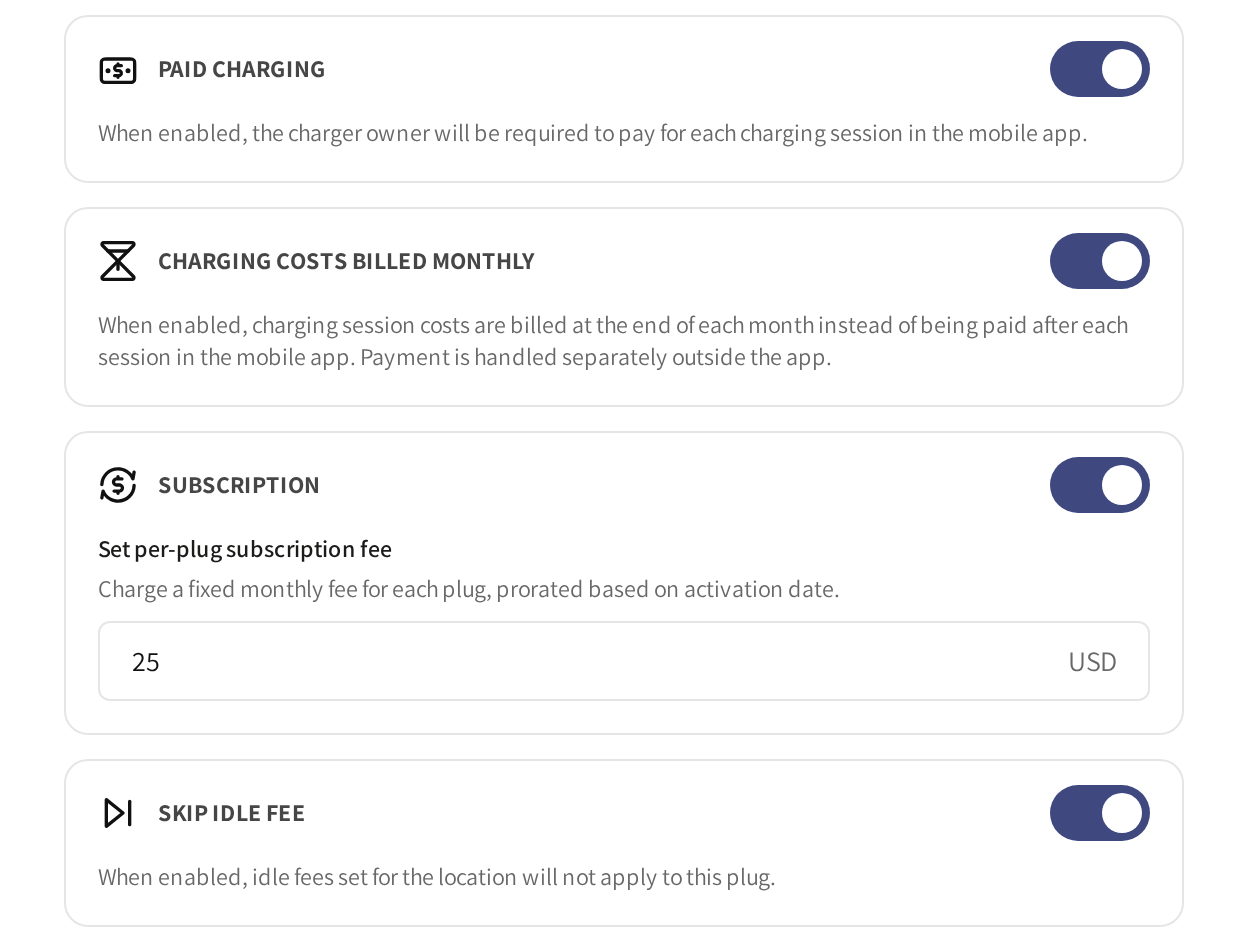
- Paid charging: the plug's owner pays for each session in the app.
- Charging costs billed monthly: the owner pays once a month instead of after each session. It can only be on while Paid charging is on.
- Subscription: a fixed monthly fee for the plug, entered under Set per-plug subscription fee.
- Skip idle fee: on for a new plug, so the location's idle fee does not apply to it.
If Paid charging is off, then charging on that plug is free for its owner. Monthly bills are explained in Monthly billing for plug owners.
If you change the brand, the model or the charger type, then the plug blocks are reset.
Pricing
The Price profile belongs to the charger as a whole, so one price serves every paid plug. It shows once a plug has Paid charging on, and it starts with the location's own price profile.
A plug with Paid charging needs a price to charge anything. See Price profiles.
Common questions
Who can charge on a private charger? The owner of each plug and the people that owner shares their plug with, see Sharing a charger. The charger never shows in the public app.
Who pays for the charging? The plug's owner, if Paid charging is on for that plug. With Charging costs billed monthly on, they pay once a month instead of after each session.
Why can I not pick my location? Private chargers can only be added to public locations. Check the location's type on its page.
Can two residents share one charger? Yes, if it has two plugs. Give each plug its own owner, and each resident gets their own access and their own bill.
Why is the location's idle fee not charged on this charger? Skip idle fee is on for every new plug. Switch it off on the plugs that should pay it.
Updated 23 days ago