
Booking
Let drivers book a charger at a location ahead of time: time slots, buffer, pricing, booking fees, idle fee, cancellation and how bookings and walk-in charging share the chargers.
Booking lets drivers reserve a charger at one of your sites ahead of time, next to walk-in sessions. You set it up per location, on the location's Booking tab.
At a glance
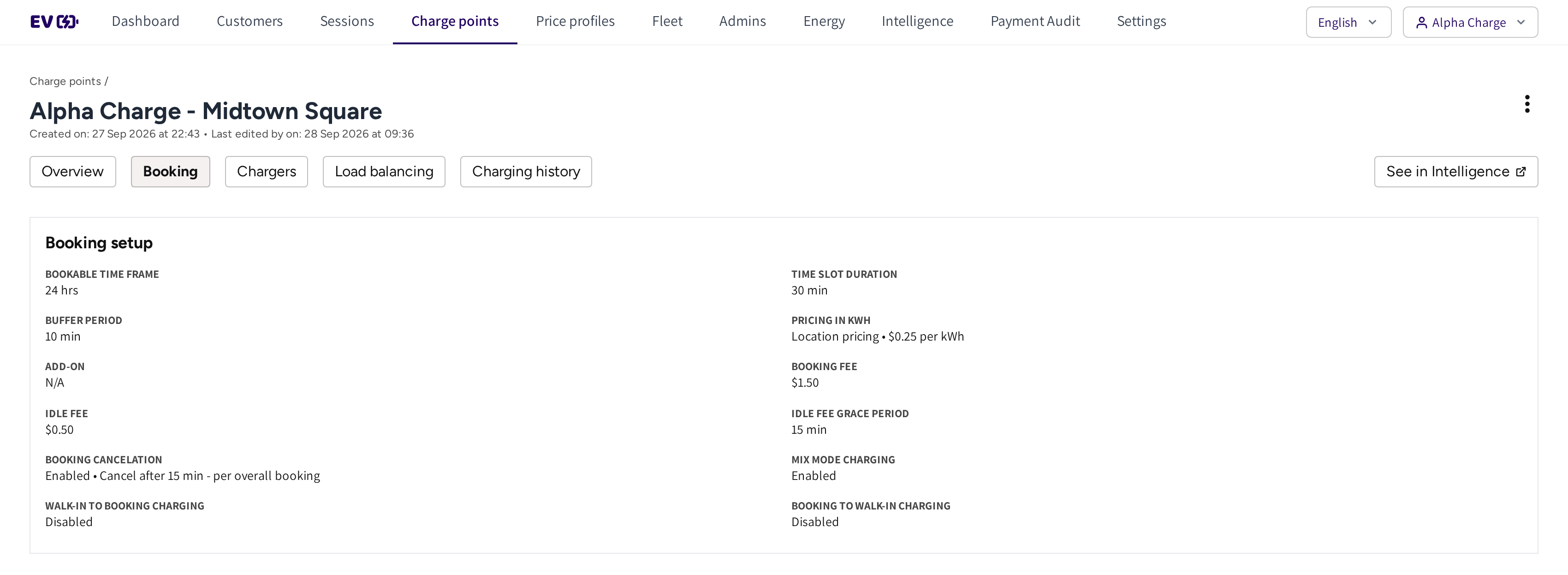
- Booking: the tab of the location that holds its booking rules.
- Booking setup: the rules drivers book against, from the bookable hours to what happens when a slot ends.
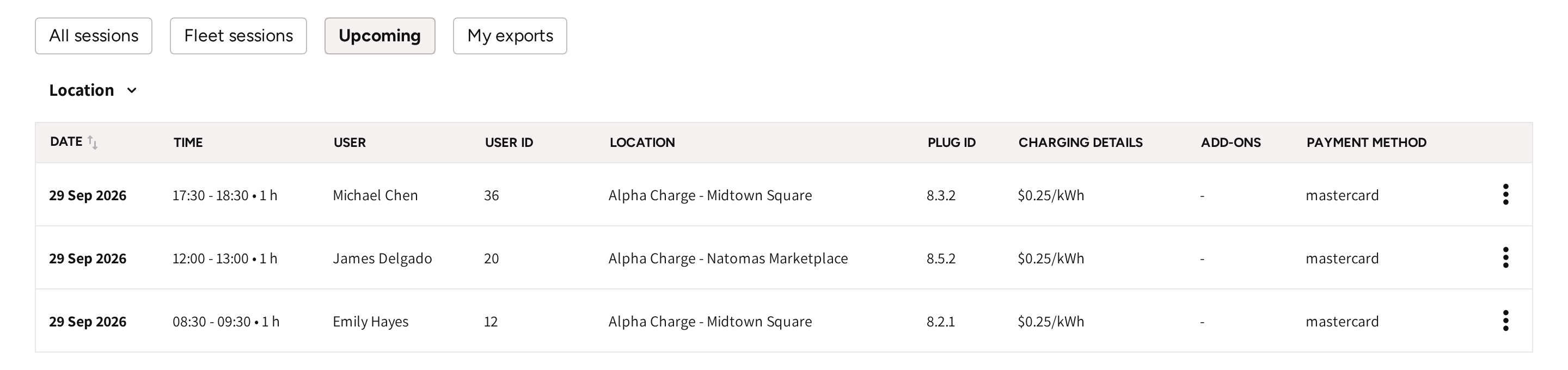
- Upcoming on the Sessions page: the bookings still to come, with driver, site, plug and time slot.
- The menu at the end of a row: cancel a booking.
Turn on booking at a site
- Open the location and go to its Booking tab.
- Click Enable booking.
- Work through the six steps, from Bookable time frame to Settings.
- Save the setup.
The Booking setup card then shows every rule of the site. Click Edit on the card to change them, or Remove to stop taking bookings.
If you remove the booking setup, then every booking made by drivers is cancelled and their booking fees are refunded.
The six steps
| Step | What you set |
|---|---|
| Bookable time frame | The hours drivers can book, or 24 hrs. |
| Time slot duration | How long one slot lasts, and the buffer between slots. Drivers can book one slot or several in a row. |
| Pricing | What booked charging costs, per kWh or per minute. |
| Add-ons | Free energy for drivers who book, or Skip add-ons. |
| Fees | The booking fee per slot, and the idle fee after the booking. |
| Settings | Cancellation and how bookings and walk-in charging share the chargers. |
Time slots and buffer
Slots run from 30 minutes up to 24 hours. The buffer is a pause after each slot. It gives the previous driver time to move their vehicle and the next one time to get ready.
If there are bookings in the future, then you cannot change the slot length until you cancel them.
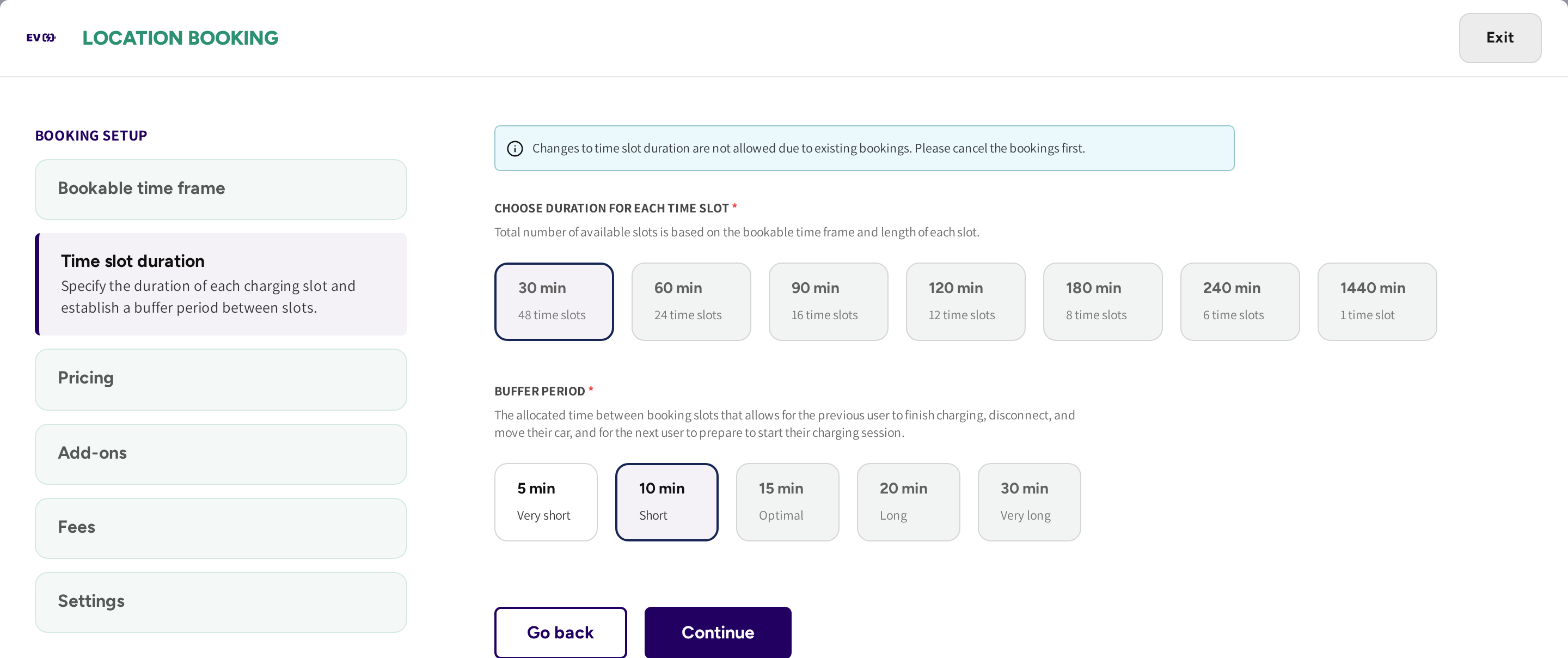
The Time slot duration step shows how many slots each length gives, and a notice while bookings lock the length.
Price booked charging
Booked sessions can cost the same as walk-in charging or have a price of their own.
- Use location pricing: booked charging costs what the location charges.
- Set new pricing for booking charging: booked charging has its own price, per kWh or per minute.
With Free energy you give away a set amount of kWh per booking, to offset the booking fee.
Set the fees
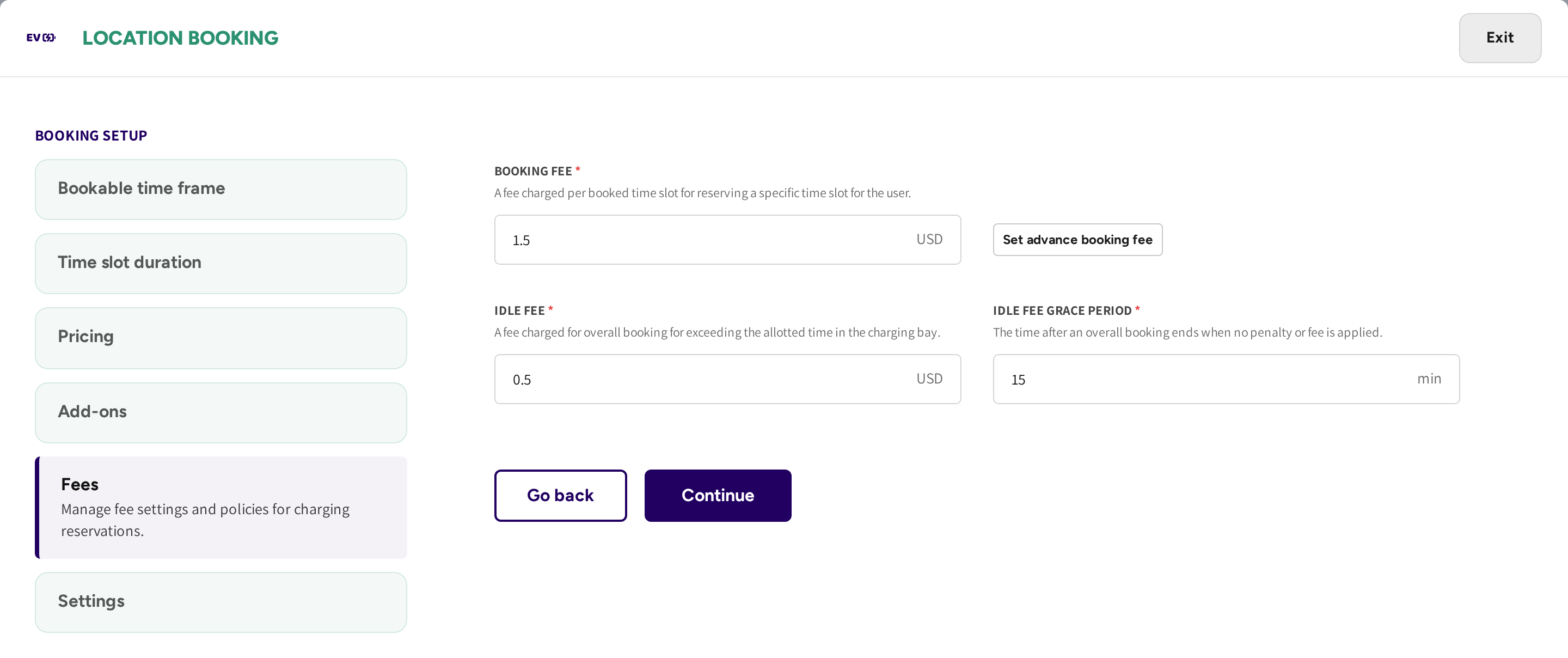
- Booking fee: a booking fee per booked slot. With Set advance booking fee, bookings for another day pay a different fee than same day bookings.
- Idle fee and grace period: if the driver stays plugged in past the grace period after the booking, then an idle fee is charged.
Choose how bookings and walk-ins share the chargers
| Setting | If it is on | If it is off |
|---|---|---|
| Booking cancellation | A booking cancels itself when the driver has not started charging after the minutes you set. | The booking holds its slot. |
| Mix mode charging | The site takes bookings and walk-in drivers in the bookable hours. | The site takes bookings only in the bookable hours. |
| Walk-in to booking charging | A walk-in session carries on into the driver's own booking without plugging in again. | The charge stops when the booking starts, and the driver starts the booked session. |
| Booking to walk-in charging | Charging carries on past the slot as walk-in charging when the next slot is free, with no idle fee. | The session ends when the slot ends. |
Booking cancellation works in one of two ways:
- Per overall booking: the driver must be there at the start of the booking.
- Per each booked time slot: the driver must be there at the start of every slot.
At a semi-public location, a driver can only book a charger they may charge on. The booking is refused when they try to make it, not when they arrive.
See and cancel upcoming bookings
Bookings still to come are on Sessions → Upcoming. Booked sessions that have run show Booking in the Type column of the session list, while walk-in charging shows Walk-in.
- Open the menu at the end of the booking.
- Click Cancel booking and confirm.
The driver is told in the app, and the slot opens up for others. More on the list is in Sessions.
Common questions
Where do I see upcoming bookings? On Sessions → Upcoming, where you can also cancel a booking. The driver is told in the app.
Can booked charging cost something different from walk-in charging? Yes. In the Pricing step, pick Set new pricing for booking charging and set its own price.
What happens if a driver books but never shows up? If booking cancellation is on, then the booking cancels itself after the minutes you set and the slot opens up. The booking fee applies as you set it up.
Can drivers still charge without a booking? Yes, if mix mode charging is on. If it is off, then the site takes bookings only in the bookable hours.
A driver at my semi-public site cannot book a slot. Why? They have no access to that charger. Check the location's Access tab to see which groups may use it.
Updated 11 days ago