
Fleet Manager dashboard
See what a customer company's fleet manager sees when they log in: their month's cost and energy, their prepaid balance, the CO2 estimate, graphs and who is spending the money.
A customer company's fleet manager lands on a Dashboard of their own: cost, energy, balance and who spent it. This page shows what they see, so you can answer their questions without logging in as them.
At a glance
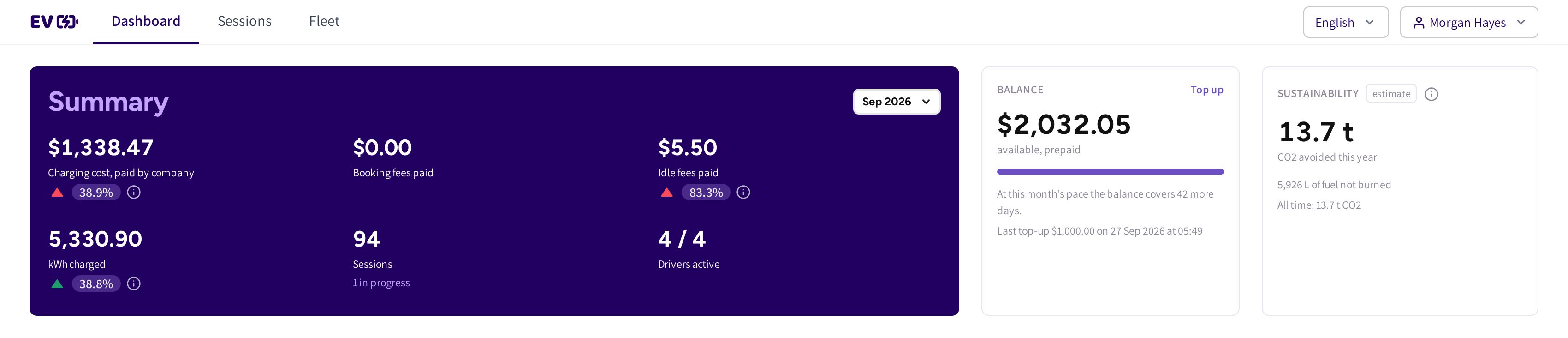
- Dashboard, Sessions and Fleet: the fleet manager's whole menu.
- Summary and the month picker: the month's figures, each with a chip against the month before.
- Charging cost, paid by company, Booking fees paid and Idle fees paid: what the company paid.
- kWh charged, Sessions and Drivers active: how much the fleet charged, and how many drivers did.
- Balance: the prepaid balance, how many days it lasts at this month's pace, the last top up and Top up.
- Sustainability: an estimate of the CO2 avoided and the fuel not burned this year.
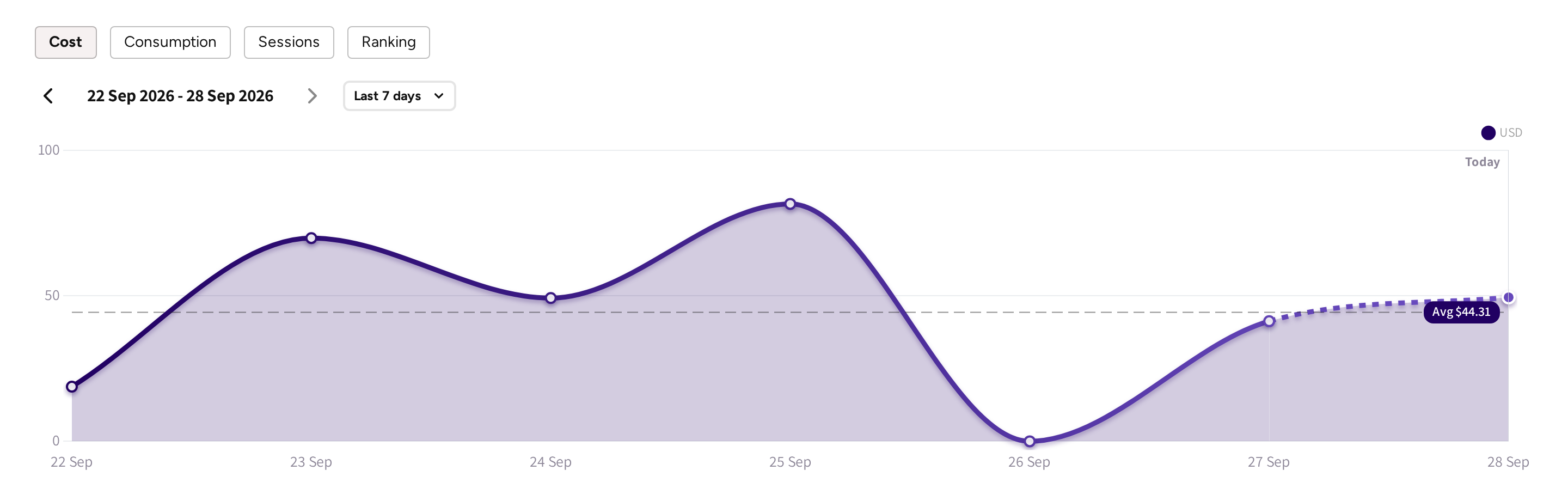
- Cost, Consumption, Sessions and Ranking: the tabs of the graph.
- The period and its arrows: step back through earlier periods.
- The period choice: Last 7 days, Week view, Month view or Year view.
- The graph, with its average as a dashed line.
The Summary card
The month picker changes the whole card and the graphs below it. The card opens on the current month.
- Sessions shows "1 in progress" while vehicles still charge, and "{n} paid by drivers" when drivers paid some sessions themselves.
- Drivers active shows how many of the company's drivers charged, and how many had no session at all.
- Sessions a driver paid with their own card are never part of the cost figures.
While a month runs, each chip compares it with the same days of the month before. Hover the chip to see what it compared.
Balance and Sustainability
If the company is on Prepaid billing, then the Balance card is shown; for an offline billed company it is not. It always describes today, whatever month is picked, and Top up opens the company's own balance page, see Fleet Wallet.
Sustainability is an estimate from standard factors, and says so on the card. It counts this year and, on its last line, all time. If you have set a fuel price in the account's currency, then it also shows what that is worth against petrol.
Who is spending: Ranking
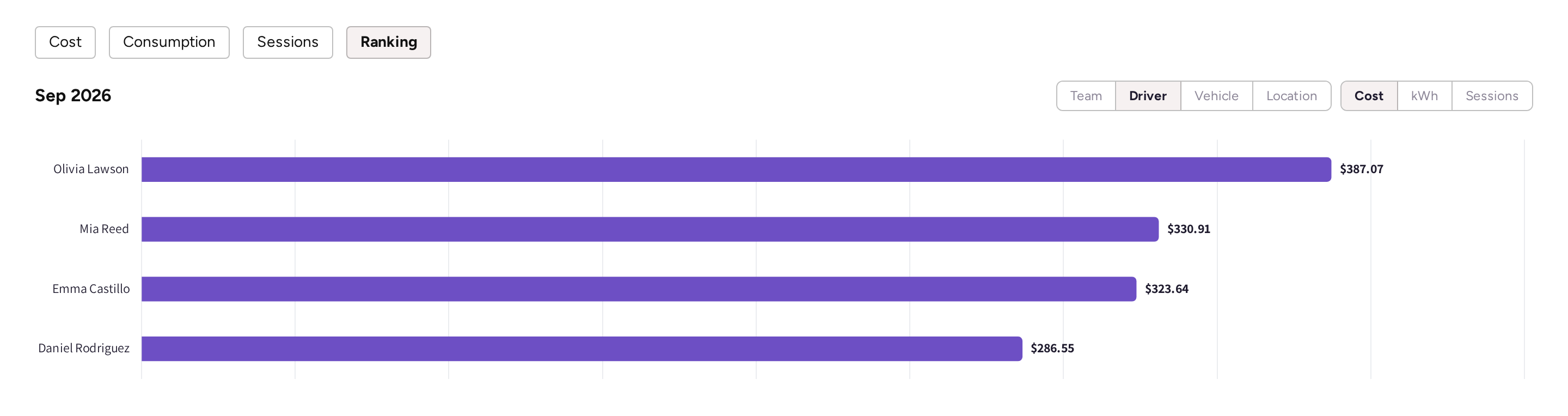
- Open Ranking.
- Pick what to rank: Team, Driver, Vehicle or Location.
- Pick what to rank on: Cost, kWh or Sessions.
The ten biggest are drawn as bars, and the rest are summed up in one line under them. If there are more, then Show all {n} opens the full list with a search. On a team ranking, hovering a bar also shows the team's Spending limit.
Paid by
If some of the company's sessions were paid by drivers themselves, then a Paid by: choice appears on the graphs: Company, Drivers or Both. Cost starts on Company; Consumption and Sessions start on Both. Sessions still running are counted in the card, not in the graphs.
Recent fleet sessions
The page ends with Recent fleet sessions, the company's latest sessions in the columns of the Fleet sessions list. All fleet sessions opens the full list, see Fleet sessions.
Common questions
Why does the fleet manager see a different dashboard than I do? Theirs covers one company only. They never see your locations, prices, finances or other customers, so they get their own fleet's cost and energy instead.
Why is the charging cost lower than the fleet manager expected? It counts only what the company paid for. Sessions a driver paid personally, for example under a Member discount, are left out.
Why is there no Balance card? The company is billed offline. The card is shown only for companies on prepaid billing.
Are the CO2 and fuel figures measured? No, they are an estimate from standard factors, which the card says. Treat them as an indication, not as a reportable figure.
Why does a ranking line say not priced yet? Its sessions are still running, so nothing has been priced. It fills in once they finish.
Updated about 1 month ago