
Plug owners
Give every plug of a private charger its own owner, so one charger serves several households with separate access, schedules and bills.
Every private charger has an owner per plug, so one charger can serve two households. Each owner sees only their own plug in the app, charges only on it and is billed only for it.
At a glance
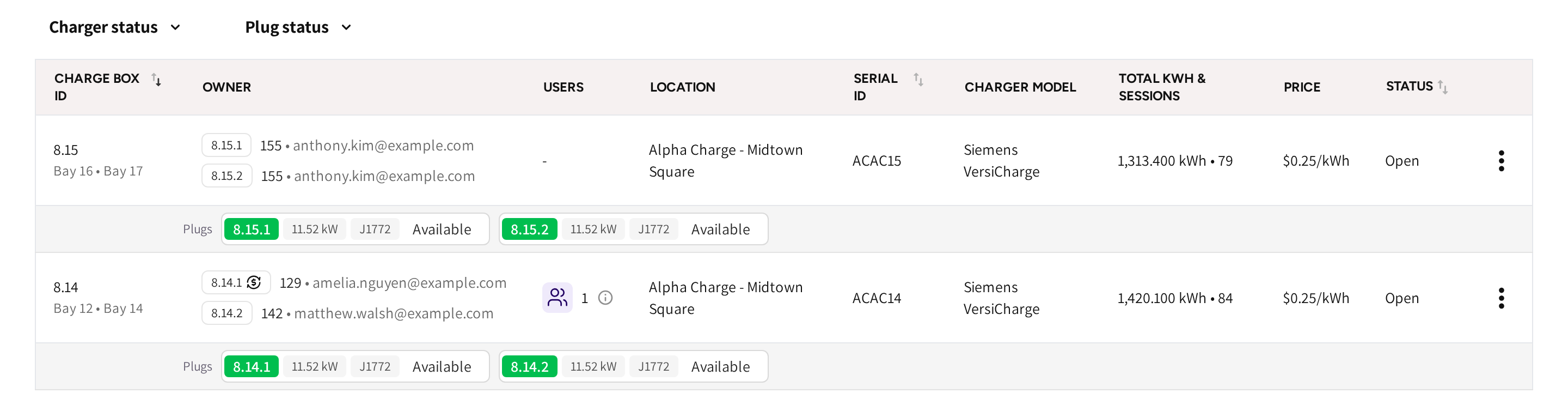
- Charge box id: the charger, with its plug aliases under it, joined by a dot.
- Owner: one line per plug, with the plug's ID, the owner's user ID and email. The subscription icon marks a plug with a monthly fee.
- Users: how many people the charger is shared with.
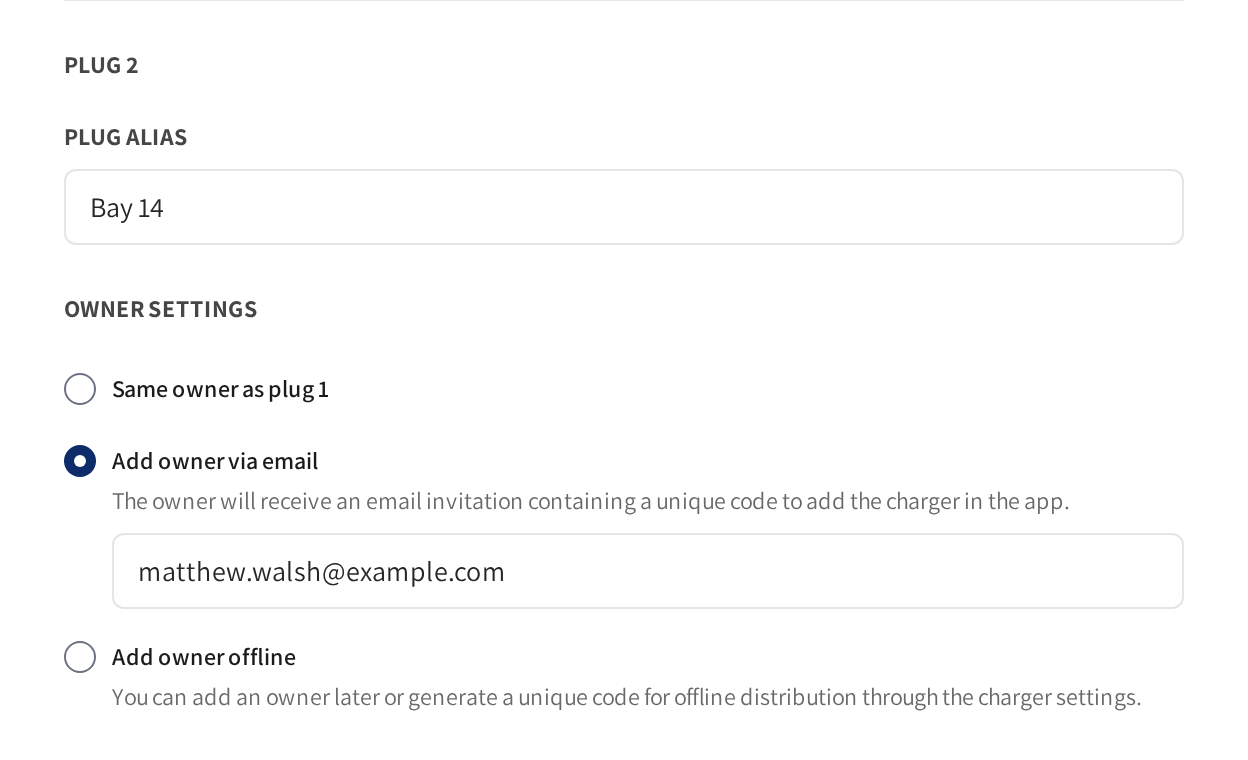
- Plug 2 and Plug alias: the second plug of the charger and its name.
- Same owner as plug 1: the plug goes to the owner of plug 1.
- Add owner via email and Add owner offline: invite a different owner for this plug.
Give each plug an owner
- Open the charger's menu on Charge points → Private chargers and click Edit.
- Go to Configuration and owner settings.
- In each plug block, enter a Plug alias.
- Pick how you invite the plug's owner.
- Set the plug's own settings, such as Paid charging.
- Click Save.
Each plug owner gets an email with a redemption code. If they redeem it in the app, then their plug appears there.
Name a plug
Plug alias is the name the plug carries, such as the resident's parking bay. On a private charger it takes the place of the charge box alias. The list shows the charger by its plug aliases, and the search finds a charger by any of them.
One owner for several plugs
Pick Same owner as plug 1 on a later plug when one household takes more than one bay. The plug takes the email of plug 1 and follows it if you change it later.
A person who owns several plugs is invited once. They get one code in one email, and redeeming it claims all of their plugs on that charger.
A plug can be left without an owner. Nobody sees it in the app and nobody is billed for it.
Who can charge on which plug
- A plug owner can charge on their own plug. A start on the neighbour's plug is refused.
- A shared user can charge only on the plug they were shared.
- Each plug holds up to five shared users of its own.
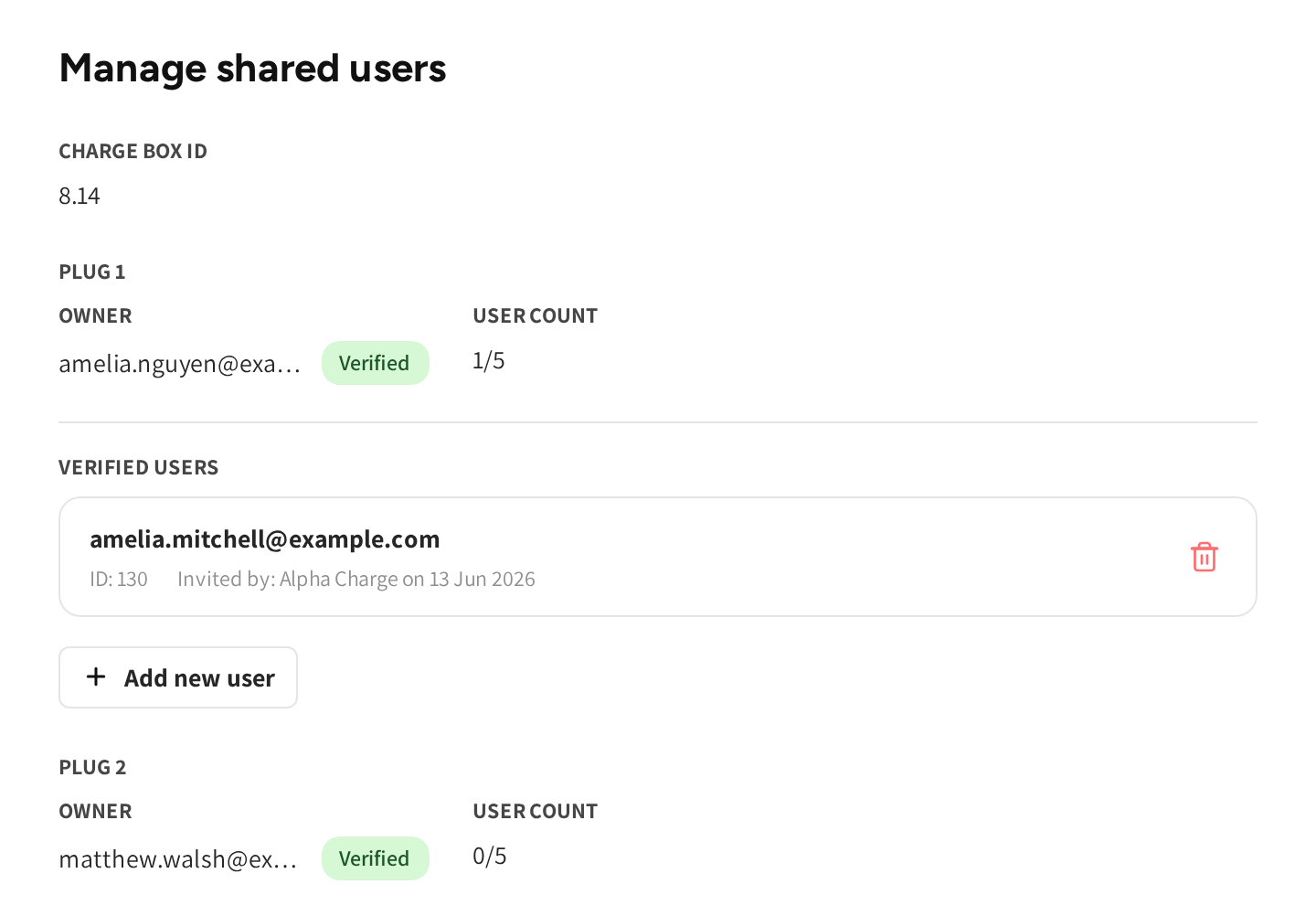
Manage shared users in the charger's menu shows one section per plug. Each has its owner, a Verified chip once the owner has redeemed, and the User count. See Sharing a charger.
Change a plug's owner
Replace the email on the plug and click Save. The old invitation is cancelled and the new person is invited. Saving a plug you did not change never sends its invitation again.
Common questions
Why do I not see the plug blocks? The charger is not a private charger, or no model is picked yet. The blocks appear once a model is picked, because the model sets the number of plugs.
Can one person own both plugs? Yes. Pick Same owner as plug 1 on the second plug. They get one code, and one redemption claims both plugs.
Can a plug owner charge on the other plug? No, the charger refuses it. The other owner can share their plug with them if they want to allow it.
Does the second owner see the first owner's sessions or costs? No. Each owner sees only their own plug, its schedules, its sessions and its bill.
Does owning a plug decide how the owner pays? No. The plug's Paid charging and Charging costs billed monthly settings decide it.
Updated 24 days ago