
Locations
See how each charging site is doing, keep what drivers see about it up to date, and work on its chargers, bookings, load balancing and charging history.
A location is one of your charging sites, and each has its own page under Charge points → Locations. Open it to see how the site is doing, change what drivers see about it and work on its chargers.
At a glance
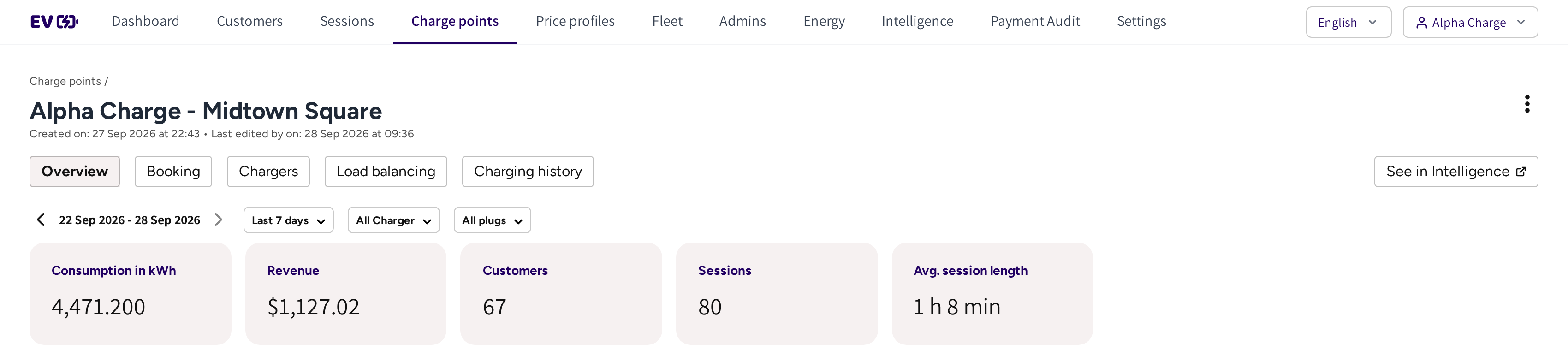
- The location's name, with the date it was created and last edited.
- Overview, Booking, Chargers, Load balancing and Charging history: the tabs of the location.
- See in Intelligence: the site's analysis page in Intelligence.
- The period, Last 7 days, All Charger and All plugs: what the figures below cover.
- Consumption in kWh, Revenue, Customers, Sessions and Avg. session length: the site's figures for that period.
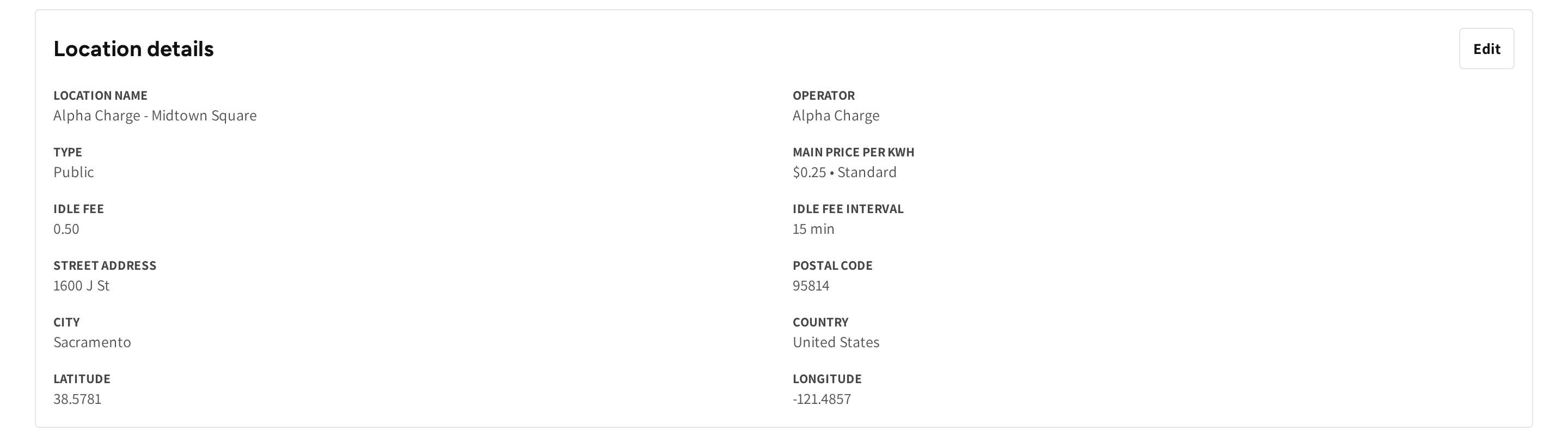
- Location details: the name, operator, type, price, idle fee, address and position of the site.
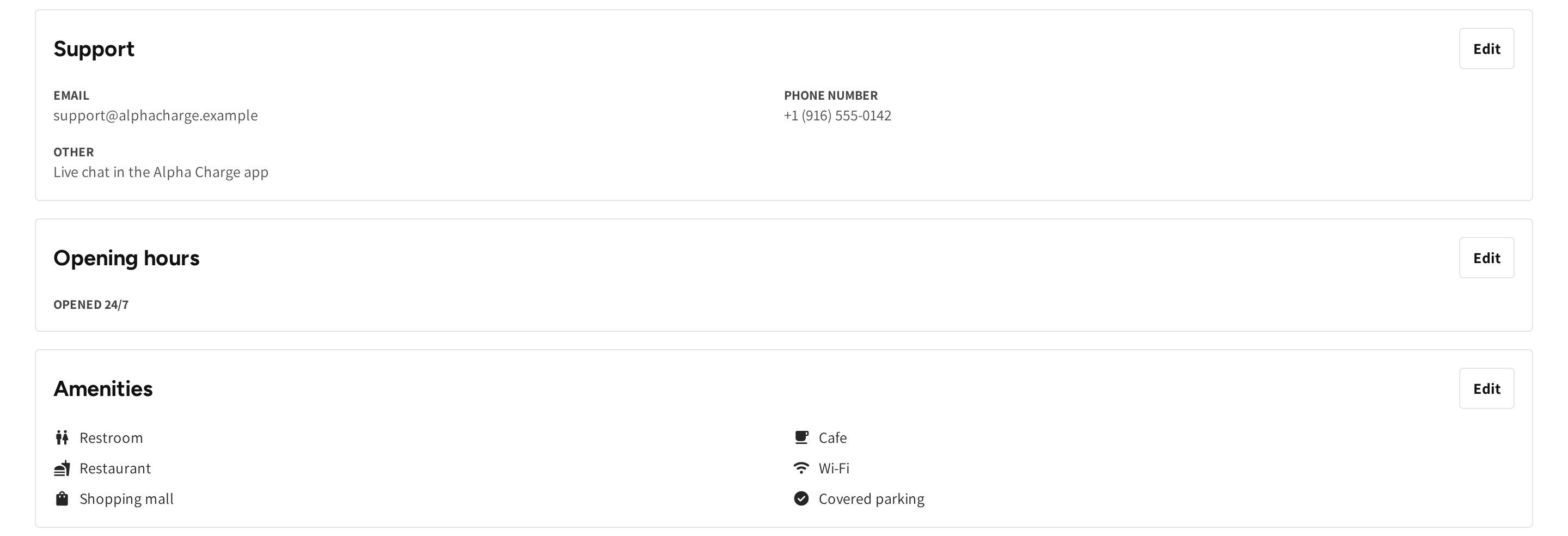
- Support: the contact details drivers see when they need help at this site.
- Opening hours: when the site is open for charging.
- Amenities: what drivers can do nearby while they charge.
Find a location
The Locations tab lists every site with its Type, number of Chargers and Plugs, Price and Status.
- Type in the search box to find a site by name.
- Narrow the list with Type or Status.
- Pick Locations with private chargers under Locations to see only the sites that hold private chargers.
Click a location to open its page. To create a new site, click Add location, see Creating a location.
Read how a site is doing
The top of Overview shows the site's figures for one period.
- Open Last 7 days and pick a day, a week, a month or a year.
- Use the arrows beside the dates to step back or forward.
- Narrow the figures to one charger with All Charger, or to one plug with All plugs.
Customers counts the drivers who charged at the site in the period. Avg. session length is how long a session lasted on average.
The tabs of a location
| Tab | What you do there |
|---|---|
| Overview | Read the site's figures and change its details, support contact, opening hours, amenities, image and app visibility. |
| Access | See which fleet teams and member discounts may charge at the site. |
| Booking | Set up bookings at the site, see Booking. |
| Chargers | Work on the chargers at the site, and add one with Add charger. |
| Load balancing | Share the site's power between its chargers, see Load balancing. |
| Charging history | Every session at the site, with the columns of the Sessions list. |
If the location is semi-public, then the Access tab is shown. If your admin account manages load balancing, then the Load balancing tab is shown.
Change what drivers see
Every section of Overview has its own Edit.
- Location details: the name, type, price profile, idle fee and address.
- Support: keep these details current, because drivers use them when something goes wrong at the charger.
- Opening hours: the hours per day, or open 24/7.
- Amenities: pick from the built-in list and add up to 6 of your own. Drivers see them on the location in the app and can filter the map by them.
- Location image: the photo drivers see in the app, which helps them find the chargers in a large parking area.
- App visibility: Visible shows the site in the app. Hidden keeps it off the map, but drivers with a link or QR code can still charge.
The fields of each section are explained in Creating a location.
Work on the chargers at the site
Chargers lists the chargers of the site with the same columns and row menu as Commercial chargers. It is the quickest place to work when you know which site has a problem.
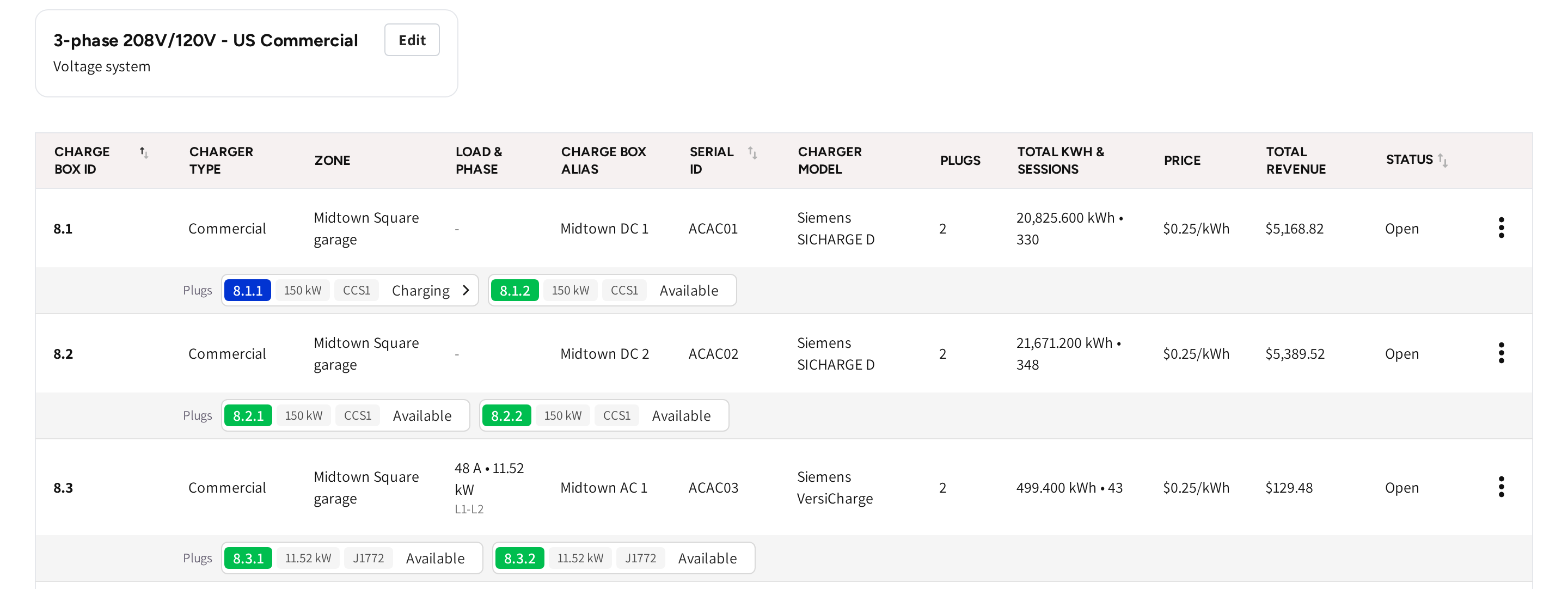
- Voltage system: the electrical supply of the site, with Edit to change it.
- Zone: the load balancing zone the charger belongs to. If a charger is in no zone, then it shows No zone set.
- Load & Phase: the charger's maximum current and power, and the phases it is wired to. A charger without power configuration, such as a DC charger, shows a dash.
Who can charge at a semi-public site
If a location is semi-public, then only the drivers you grant access can charge there. Access comes from fleet teams and member discounts, and Access lists every one that reaches the site.
| Column | What it shows |
|---|---|
| Alias, Type and Company | The team or member discount, Internal or External, and its company. |
| Drivers | Who is in the group. |
| Charger access | All chargers, or one chip per charger when the group may use only some of them. |
To change who has access, open the team or member discount and edit its locations, see Teams & Member Discounts.
Delete a location
- Open the menu at the top right of the location's page.
- Click Delete location and confirm.
The location and its settings are removed and cannot be restored.
Common questions
How do I create a new location? Click Add location on the Locations tab and fill in the form. The steps are in Creating a location.
Where do I change the price of a location? Click Edit on Location details and pick another price profile. To price many sites at once, assign one profile to all of them, see Price profiles.
Where do I see how busy a location is? On the location's Overview: consumption, revenue, customers, sessions and average session length for the period you pick.
How do I change the amenities a location shows in the app? Click Edit on the Amenities section of Overview. Pick from the built-in list or add up to 6 of your own.
A charger at my site shows No zone set. What does that mean? The charger is in no load balancing zone, so the site's limits do not cover it. Add it to a zone on the Load balancing tab.
Updated 23 days ago