Monthly billing for plugs owners

Owners of individual plugs are not charged per session. Their charging accumulates through the month and is collected once, with an emailed bill, a Stripe payment link and an itemised PDF statement.

When a private charger is set up with an owner per plug, those owners move off pay as you go. Nothing is charged at the charger and no payment card is required to start a session. The cost of every session accrues instead onto a monthly bill, which goes out after the month ends together with any subscription fee you charge for the plug.

💡

Notice

Monthly billing arrives with owners per plug, and both are enabled per operator by EOSVOLT as the Plug owner subscription module. Without it, private chargers stay on pay as you go regardless of how their owners are assigned.

What triggers monthly billing

Having an owner on the plug is what does it, not the subscription fee. A plug owner with no fee configured is still billed monthly, for their charging alone, and their bill simply carries no subscription line.

Charger setupHow the owner pays
One owner for the whole chargerPay as you go: a payment method is required and the card is charged when each session ends
An owner per plugMonthly: no payment method needed, nothing collected per session, one bill after the month ends

Two conditions have to be genuinely met before a session is billed monthly:

  • The plug has an owner who has redeemed their code. A plug whose invitation is still pending, or that was left unassigned, has nobody to send a bill to. Sessions on it stay pay as you go.
  • The charger can price a session. Charging cost only accumulates when the charger has Enable paid charging switched on with a price profile assigned. Without one there is no tariff to apply, so the bill carries the subscription fee only.

Charging a monthly fee per plug

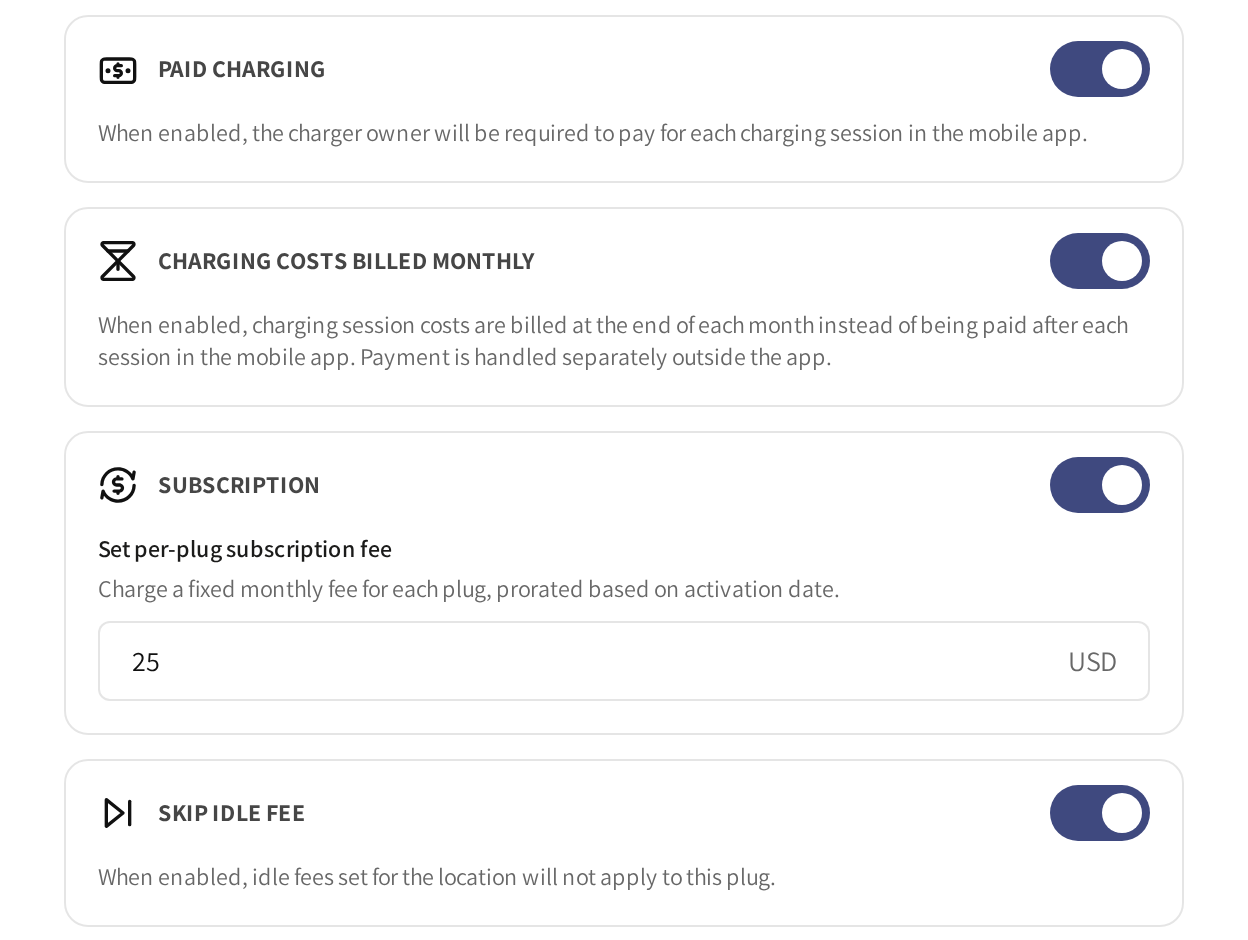
Inside each plug's section of the charger form there is a Subscription block. Switch it on and enter the amount under Set per-plug subscription fee. The currency follows the operator the charger belongs to.

The fee is a monthly price. An owner's first bill covers only the days from their handover, so the fee is prorated by the day and the bill spells the arithmetic out, for example Subscription 27-31 August 2026 (5/31 days) - plug 1.

Switching a fee off part way through a month removes it from that month's bill entirely; the owner is not billed a partial fee for a subscription you cancelled. Changing the amount mid month means the bill uses the amount in force when it is sent.

What ends up on the bill

Each bill resolves to one payable total, made up of:

  • The subscription fee for the plug, if one is configured.
  • The charging delivered in the period, session by session.
  • Tax, applied under your operator's own pricing model. If you price tax inclusive, the fee you configured is the gross amount and its tax is shown carved out of it. If you price tax exclusive, tax is added on top and the owner pays fee plus tax. The bill and the statement both state which applied.
  • The processing fee, as on any other invoice.

When bills are sent

By default a bill goes out as the 1st of the month begins on your operator's own clock, closing the month that has just ended. Billing the morning after the period closes rather than on its last day means the owner is never billed for a day they can still charge in.

The send day is configurable per operator, but there is no setting for it in Spark today. Contact EOSVOLT support to move your billing day. A day beyond the length of a short month falls back to that month's last day, so a billing day of the 31st still fires in February.

A period where nothing at all accrued produces no bill and no payment request.

A session that arrives after its period has already been billed rolls into the next month's bill rather than reopening a closed one, so nothing is lost and nothing is billed twice.

What the owner receives

An email with the subject "[Your operator] Home Charger Monthly Payment - August 2026", sent under your operator's name and branding, never EOSVOLT's. It is deliberately short: a greeting, the date range the bill covers, the total due, a payment button, and your support address if you have one configured.

Attached is a PDF statement named home-charging-<invoice number>.pdf, and that is where all the detail lives:

  • Your letterhead and invoice number, the issuer and recipient, and a Statement Date, Period and Plug row.
  • A Summary resolving the subscription line and the charging line to Subtotal, Tax and Total Due.
  • Every session of the period itemised with start, end, session ID, kWh, rate and amount, and a footer totalling the session count, the energy and the amount.

A month of home charging can run to dozens of sessions, which is why they are attached as a document the owner can keep or forward rather than pasted into an email body that mail clients would clip.

How the owner pays

The button in the email opens a Stripe hosted checkout page for the exact amount of the bill. After paying, they are returned to a confirmation page showing your operator's name and logo.

That page has three outcomes:

  • Paid: confirmed, either because the bill was already settled or because Stripe confirmed the payment there and then.
  • Confirming your payment: Stripe has not confirmed yet. This is normal for a few moments after paying and is not a failure. The bill settles on its own when the confirmation arrives.
  • Cancelled: they left the checkout without paying. The bill stays open and the same link keeps working.

The link in the email remains valid, so an owner who abandoned the page can return to it later.

What operators see in Spark

Sessions billed this way carry Stripe (monthly billing) as their payment method in the session list, the session detail page and the CSV export, rather than a card or a dash. That is accurate: at the time of the session, nothing had been collected and there was no card involved.

Once the bill is paid, the card that paid it is written back onto every session of that period, and those rows change to name the real payment method. So a session that reads Stripe (monthly billing) is one whose month has not been settled yet.

Settled charging flows into your payout ledger session by session, exactly like any other charging revenue. The subscription fee does not: it is a fee you charge the resident directly and it produces no entry there.

Common questions

Why is my plug owner not being asked for a payment card?
Because they are billed monthly. Nothing is authorized or collected at the charger, which is the point of the arrangement.

My plug owner has no subscription fee. Are they still billed monthly?
Yes, for their charging. The subscription is an optional extra line, not what switches the monthly billing on.

The bill only shows a subscription fee and no charging. Why?
The charger has no tariff. Switch on Enable paid charging and assign a price profile, otherwise there is no price to apply to a session.

A plug owner charged all month and received nothing. What happened?
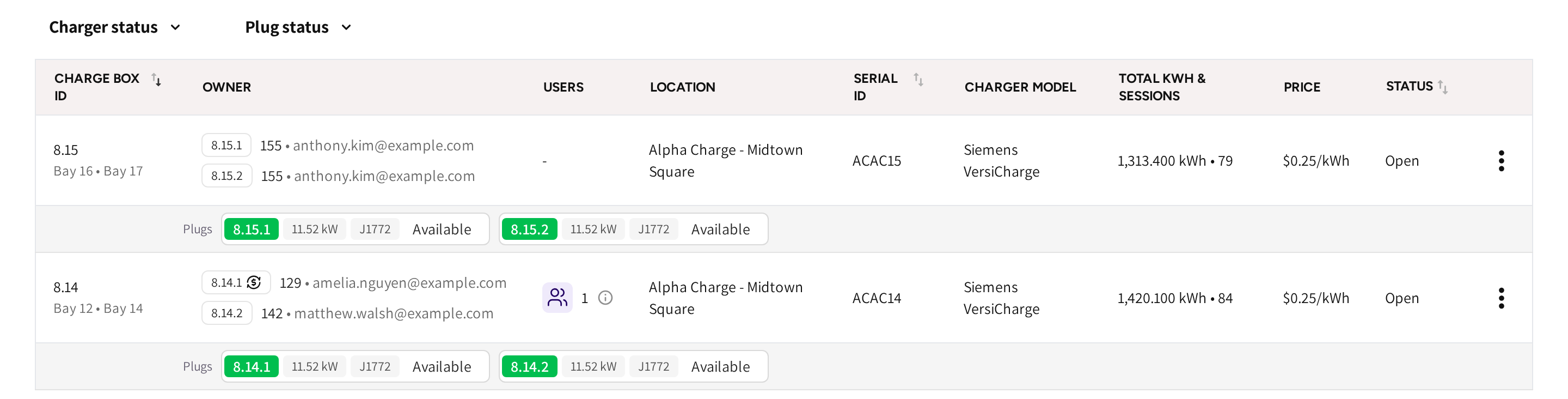
Most likely their invitation was never redeemed, so the plug has no confirmed owner and their sessions stayed on pay as you go. Check the owner's access chip on the charger.

Can I change the day bills go out?
Yes, but not from Spark. Contact EOSVOLT support and it will be set for your operator.

Can the owner pay from the app instead?
Not today. The emailed Stripe link is the way a bill is paid.

Why does a session say Stripe (monthly billing) instead of a card?
Its month has not been paid yet. When the bill settles, the sessions in that period are updated to name the card that paid them.

What happens to a session that finishes just after the bill went out?
It goes onto the next month's bill. A bill that has already been sent is never reopened.

The owner says the first bill looks small. Is it wrong?
Probably not. A first bill covers only the days from handover, and the subscription line states the proration, for example (5/31 days).


Did this page help you?