
Commercial chargers
The public chargers across all your locations in one list: find a charger, read its plugs, energy and revenue, set where its price comes from and act on it.
A commercial charger is a public charger at one of your locations, where every driver can charge at your price. Commercial chargers lists all of them, so you find and act on a charger without opening each site.
At a glance
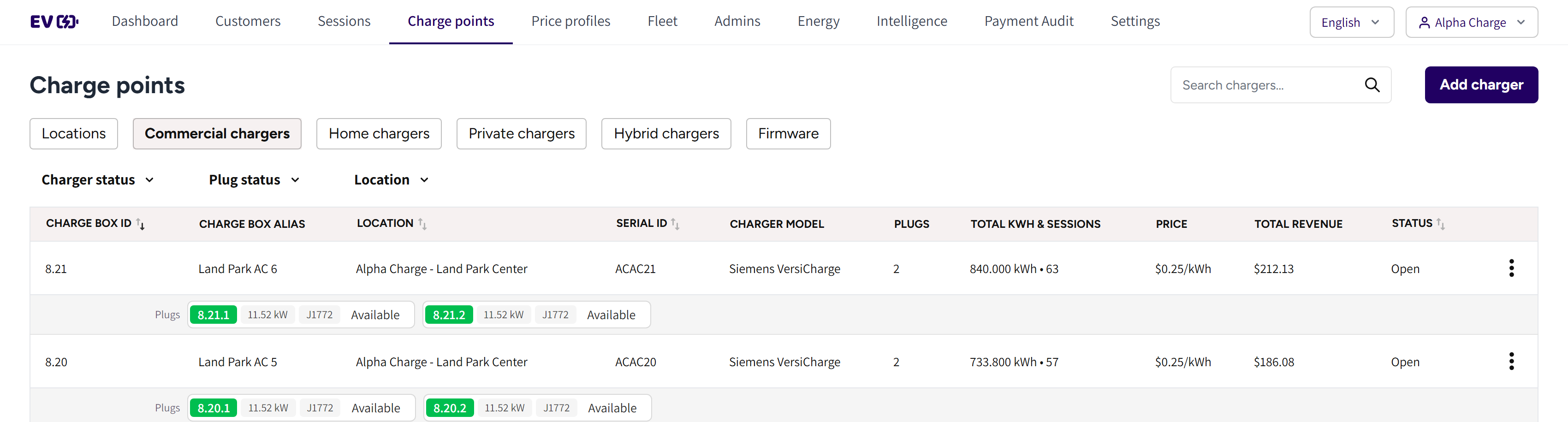
- The search box and Add charger: find a charger, or add a new one.
- Charger status, Plug status and Location: the filters of the list.
- Charge box id, Charge box alias, Location, Serial id and Charger model: which charger it is and where.
- Total kwh & sessions, Price, Total revenue and Status: what the charger delivered and earned, and whether it can charge.
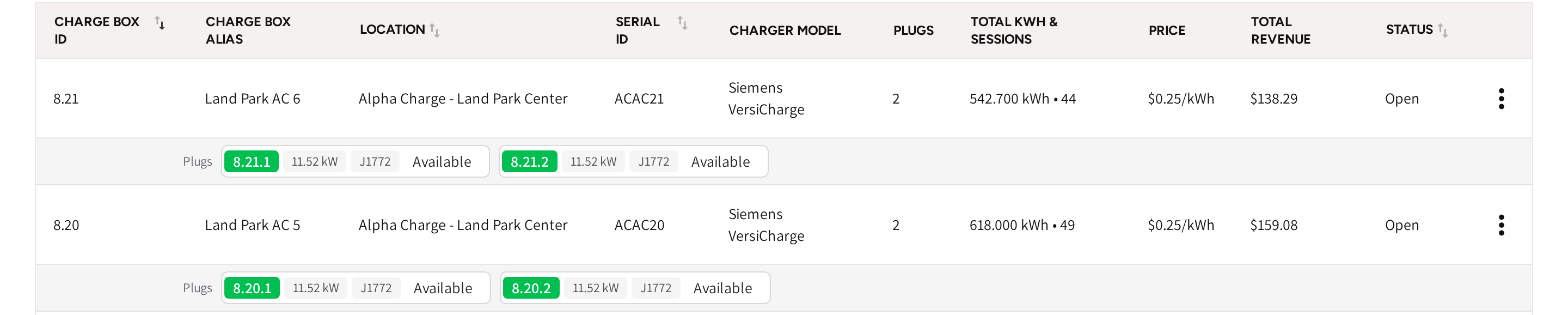
- Plugs: one chip per plug with its Plug ID, power, connector type and state. A charging plug links to its session.
- The menu at the end of the row: the actions for that charger.
Find a charger
- Type part of the charger's name or ID in the search box.
- Narrow the list with Charger status, Plug status or Location if you need to.
The same chargers, with the same menu, are on each location's Chargers tab, see Locations.
Read a charger
| Column | What it shows |
|---|---|
| Charge box id | The charger's number in your account. |
| Serial id | The ID the charger uses to connect, the one you entered when you added it. |
| Charger model | The brand and charger model. |
| Plugs | How many plugs the charger has. |
| Total kwh & sessions | The energy the charger delivered and its number of sessions, since it was added. |
| Price | The price that applies at this charger right now. |
| Total revenue | What the charger's sessions brought in. |
| Status | Open, Offline, Closed, Out of order or Registering, see Charge points. |
Set where the price comes from
A commercial charger is priced by its location's price profile, unless you give the charger a profile of its own.
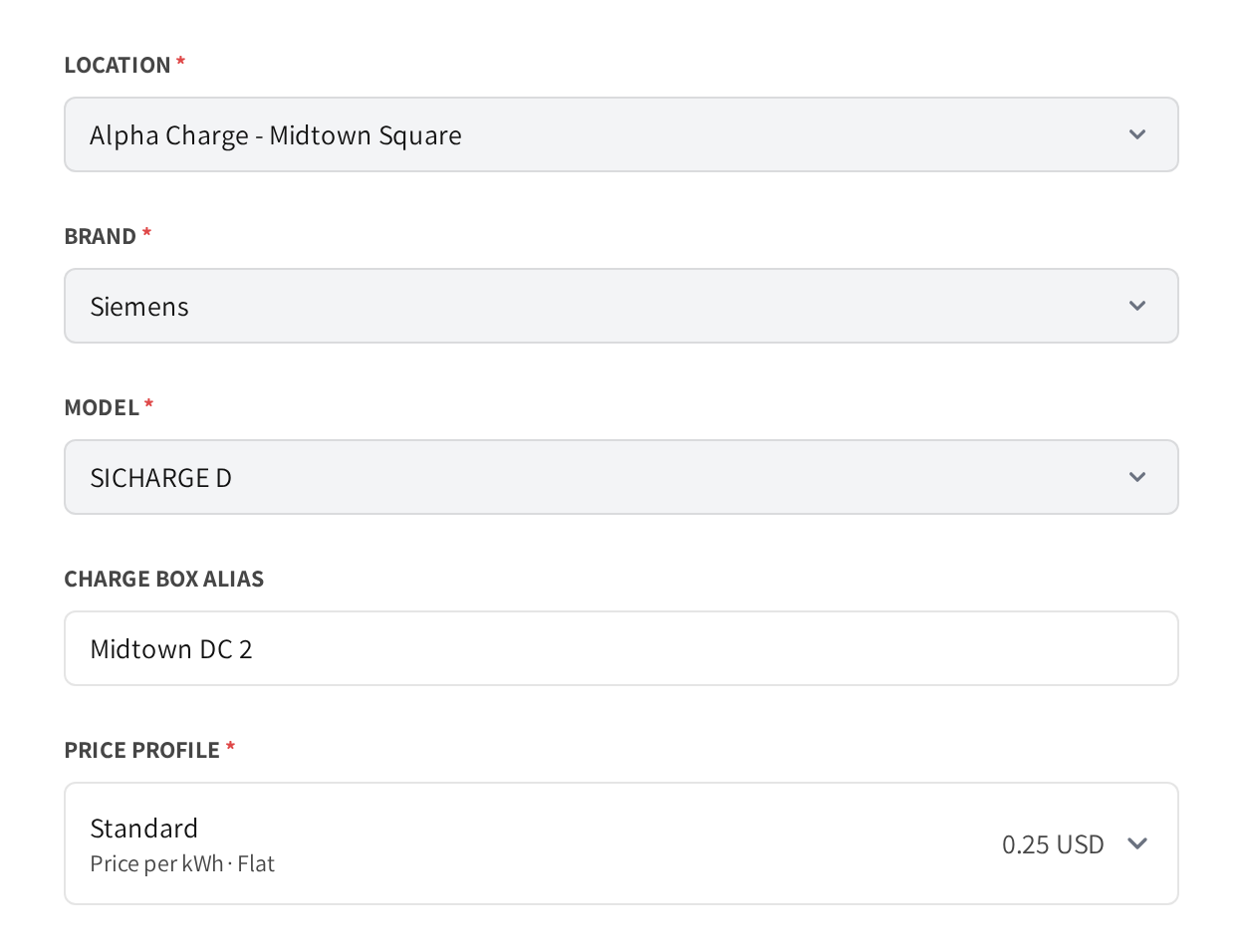
- Open the menu at the end of the charger's row and click Edit.
- Pick a profile in Price profile.
- Click Save.
If the charger and its location have different profiles, then the charger's own profile applies. Give a charger its own profile only when it should cost something different from the rest of the site.
If price profiles are not part of your account, then the form has no Price profile field and the charger is priced by its location.
Act on a charger
Each row's menu holds Edit, Toolkit, Download Logs, Reboot, Download QR Code, View charger insights and Delete. Each item is explained in Charge points.
To add a charger, click Add charger and follow Adding a charger.
Common questions
How do drivers pay at a commercial charger? In the app, at the charger's price. If the charger or site has a payment terminal, then drivers can also pay by card, see Payment terminals.
Where do I set the price of a commercial charger? On its location's price profile, or with a profile of its own in Edit. The charger's own profile wins over the location's.
How do I find the chargers that need attention? Filter the list with Charger status, for example on Offline, or with Plug status, for example on Faulted.
How do I take a charger out of service for a while? Click Edit and set State to Closed. To take out a single plug instead, use the OCPP toolkit.
Why does the Total revenue differ from this month's revenue? Total kwh & sessions and Total revenue cover every session since the charger was added. For one month, see the Dashboard.
Updated 23 days ago