
Internal & External fleets
Run your own vehicles as an internal fleet and your customers' vehicles as external fleets, each company with its own billing and its own fleet manager login.
Fleet holds two kinds of fleet: Internal for your own vehicles and External for the fleets of customer companies. Customer companies can manage their own drivers and keys with a login of their own, while prices stay with you.
At a glance
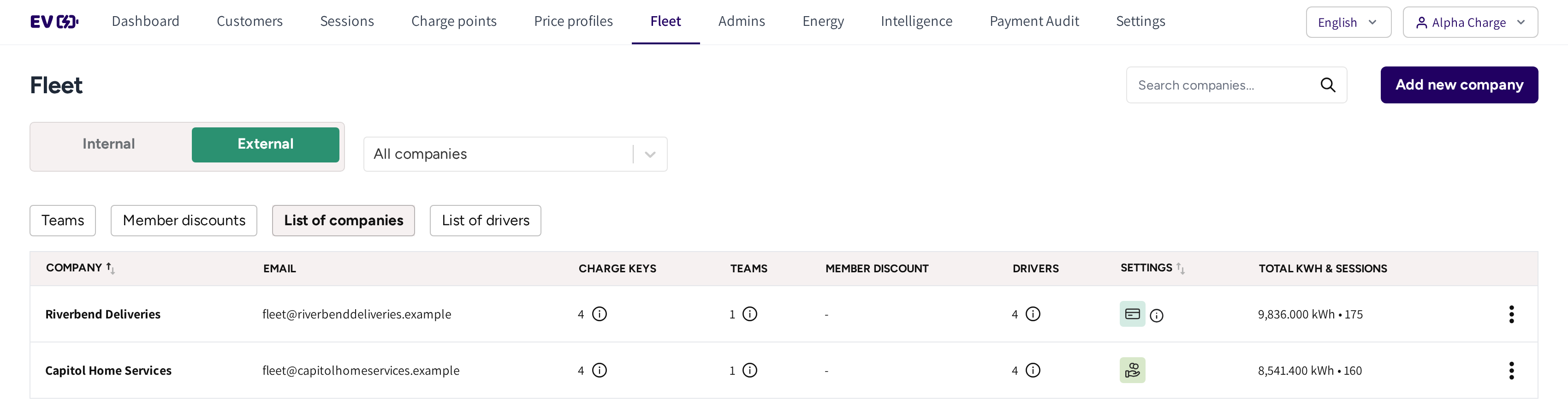
- Internal and External: the switch at the top of Fleet.
- All companies: under External, narrow every tab to one customer company.
- List of companies: your customer companies, with Add new company on the right.
- Charge keys, Teams, Member Discount and Drivers: what each company has. Hover an information icon to see the names.
- Settings: how the company is billed, Offline billing or Prepaid billing.
- Total KWH & Sessions: the company's charging so far. Click it to open its sessions.
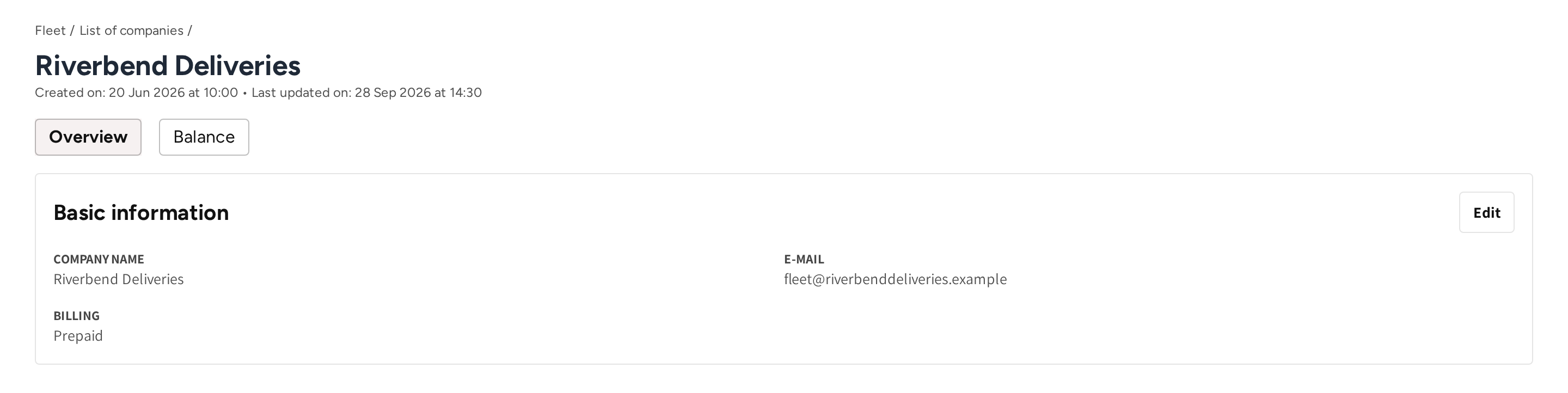
- The company name, with when it was created and last updated.
- Overview: the Basic information card with Company name, E-mail and Billing, and Edit.
- Balance: the company's prepaid balance and its history, see Fleet Wallet.
Internal fleet
Everything under Internal belongs to your own organization: your teams, Member discounts, keys, cars and drivers. It has no List of companies, and nothing in it is shown to a customer.
Add a customer company
- Go to Fleet → External → List of companies.
- Click Add new company.
- Enter the Company name and the company's Email.
- Under Billing options, pick Offline or Prepaid.
- Click Save.
The company then shows in the list. The email cannot be changed afterwards, so use an address the company will keep.
| Billing option | What it means for you |
|---|---|
| Offline | The company charges straight away, and you invoice it outside the platform. |
| Prepaid | The company tops up a balance first, and every session is taken from it. Its keys stop when the balance is used up. |
If prepaid billing is part of your account, then Billing options is shown on the form; otherwise every company is billed offline. You can change the option later with Edit on the company's Overview. Switching a prepaid company to offline keeps its balance for later.
Work for a customer
You can manage any customer's fleet yourself. Under External, pick the company in All companies to see only its teams, keys, cars and drivers. Each form under External asks for the Company it is for.
The fleet manager login
A customer company's own administrator can get a fleet manager login. You create it under Admins: choose External as the Admin type, then pick the company.
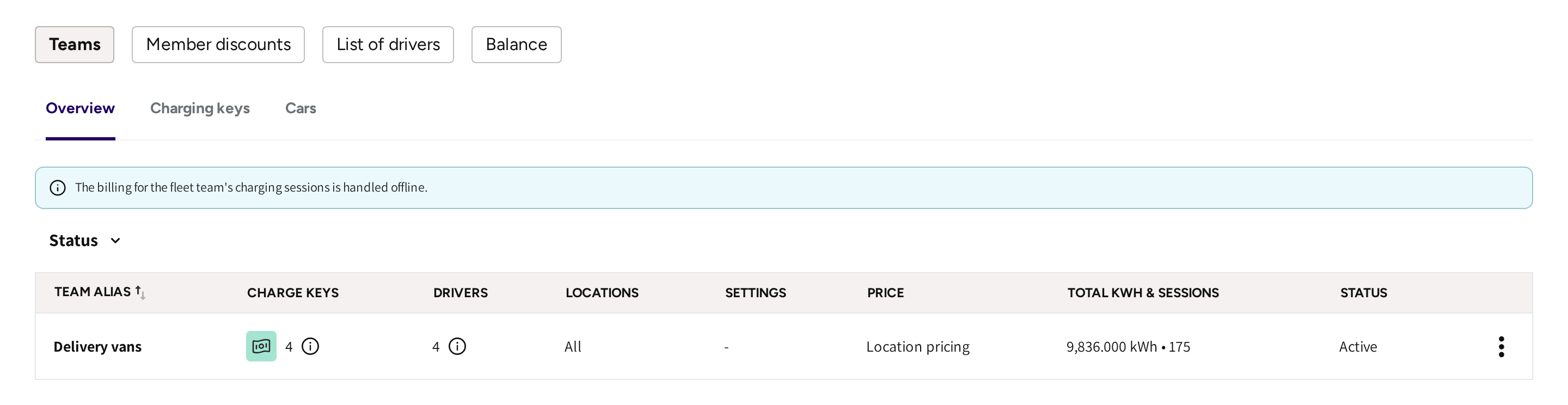
The fleet manager sees only their own company:
- A Dashboard of their own, where they land after logging in, see Fleet Manager dashboard.
- Sessions, with their company's charging only.
- Fleet, with Teams, Member discounts, List of drivers and, if the company is prepaid, Balance.
They can add and change drivers, charge keys and cars, and edit their teams and member discounts. They cannot create teams or discounts, and pricing stays with you. They never see your locations, your other customers or your finances.
Common questions
What is the difference between internal and external fleets? Internal is your own organization's fleet. External fleets belong to customer companies. Each is billed its own way and can have its own fleet manager login.
How does a customer company get its own login? Add the company under List of companies. Then add an admin under Admins with Admin type External and that company, who gets an invitation email.
Who sets the prices for an external fleet? You do, in the pricing step of the team or member discount. The fleet manager manages people, keys and cars.
Where do I see a customer's charging? Click its figure under Total KWH & Sessions in List of companies. Fleet sessions opens, filtered to that company, see Fleet sessions.
Should a customer be offline or prepaid? Offline if you invoice after the fact, prepaid if you want the money before their drivers charge. You can switch later, and a prepaid balance is kept.
Updated 11 days ago