
Home chargers
Add a charger at a customer's home, invite its owner by email or with a code, and follow who charges on it from the Home chargers tab.
A home charger is a charger at a customer's home, for its owner and the people they share it with. Charge points → Home chargers is where you add these chargers, invite their owners and follow them.
At a glance
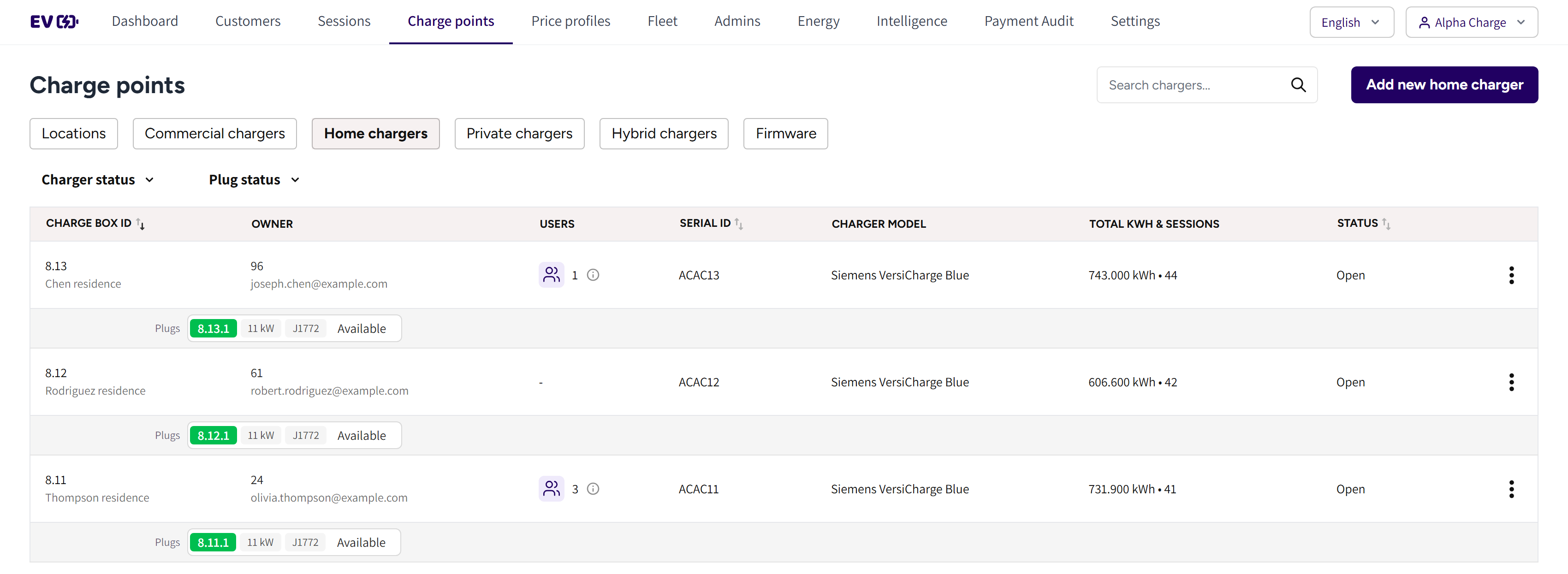
- Home chargers: the tab with every home charger of your account.
- The search box and Add new home charger: find a charger, or add a new one.
- Charger status and Plug status: the filters of the list.
- Charge box id: the charger's ID, with its alias under it.
- Owner: the owner's user ID above their email.
- Users: how many people share the charger.
- Serial id and Charger model: the charger's serial number and model.
- Total kwh & sessions and Status: what it delivered, and whether it can charge.

- The information icon in Users: hover it to see who the charger is shared with.
- (pending): a person who has not redeemed their code yet.
- Plugs: each plug with its Plug ID, power, connector type and state.
Add a home charger
- Go to Charge points → Home chargers.
- Click Add new home charger.
- Pick the Brand and the Model.
- Enter a Charge box alias the owner will recognize, such as their street.
- Enter the charger's Serial id and pick its State.
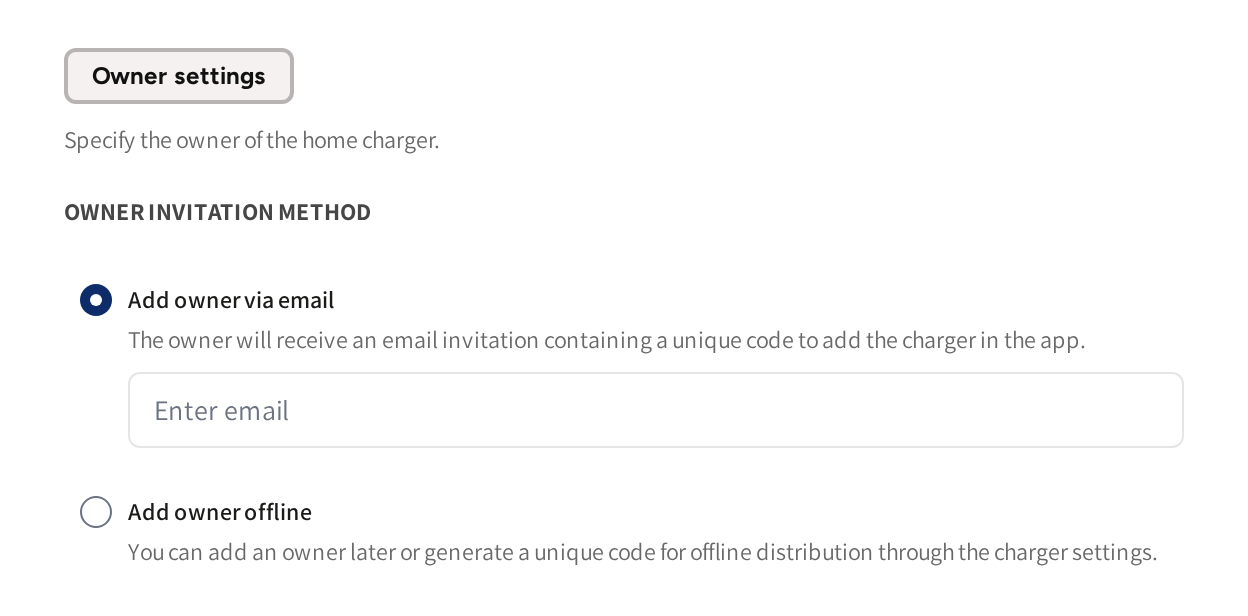
- Under Owner settings, pick how you invite the owner.
- Click Save.
The charger then shows on the tab with its owner, and the owner can claim it in the app.
Invite the owner
Owner invitation method offers two ways:
- Add owner via email: enter the owner's email address. They get an email with a redemption code when you save.
- Add owner offline: you hand the code over yourself, for example on the day of installation.
If you pick Add owner offline, then open the charger's menu and click Download charger code to get the code to hand over. If the owner has not redeemed their code yet, then the menu also has Resend charger code.
The owner opens the app, adds a charger and enters the code. The charger then appears in their app with scheduling and sharing. A charger with two plugs appears once per plug.
Act on a home charger
Open the menu at the end of the charger's row.
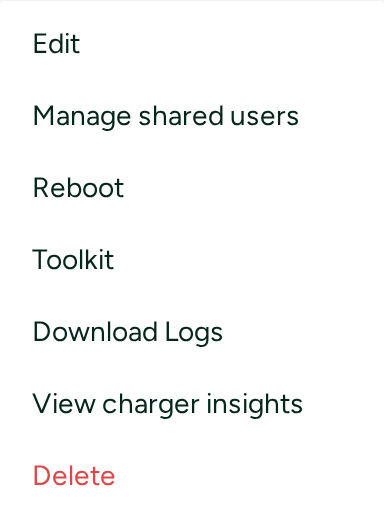
- Edit: change the charger's details, or its owner with Change owner/user.
- Manage shared users: invite or remove the people who charge on it, see Sharing a charger.
- Reboot: restart the charger remotely.
- Toolkit: send commands to the charger, see OCPP toolkit.
- Download Logs: download the charger's own log for a date range.
- View charger insights: the charger's sessions, energy and live readings.
- Delete: remove the charger from your account.
If an owner reports a problem, then start with Home charging troubleshooting.
Pricing and pay back
Charging at home is free for the owner and the people they share with. It is settled through the household's own electricity.
If live prices are part of your account and it does not use advanced price profiles, then the tab also has an Electricity pricing card. There you set what an owner is paid back per kWh for the electricity they supplied, per price zone. Edit opens a profile, and Add new price profile adds one.
Electricity pricing is money going out to the owner. A price profile is what a driver pays, and it does not apply to charging at home. If a charger at a home should also serve paying drivers, then add it as a hybrid charger, see Hybrid chargers.
Common questions
The owner never received the invitation email. What now? Open the charger's menu and click Resend charger code, or hand over the code with Download charger code. If your account has Email delivery, then check there whether the email arrived.
Can several people use one home charger? Yes, up to five besides the owner. The owner shares it from the app, and you can do it from Manage shared users in the charger's menu.
Who is in the Users column? The people the charger is shared with, not the owner. Hover the information icon to see their emails, with (pending) after anyone who has not redeemed their code.
Can I give someone access before the owner has claimed the charger? Yes. The owner's invitation and the shared users' invitations are separate. You can hand out access on the day of installation.
What is the difference between a home charger and a private charger? A home charger sits at one household and charging on it is free. A private charger sits at one of your locations, and each plug's owner pays for their charging, see Private chargers.
Updated 23 days ago